topappsreviews may earn a commission when you buy through links on this page, at no extra cost to you. This does not affect our ratings.
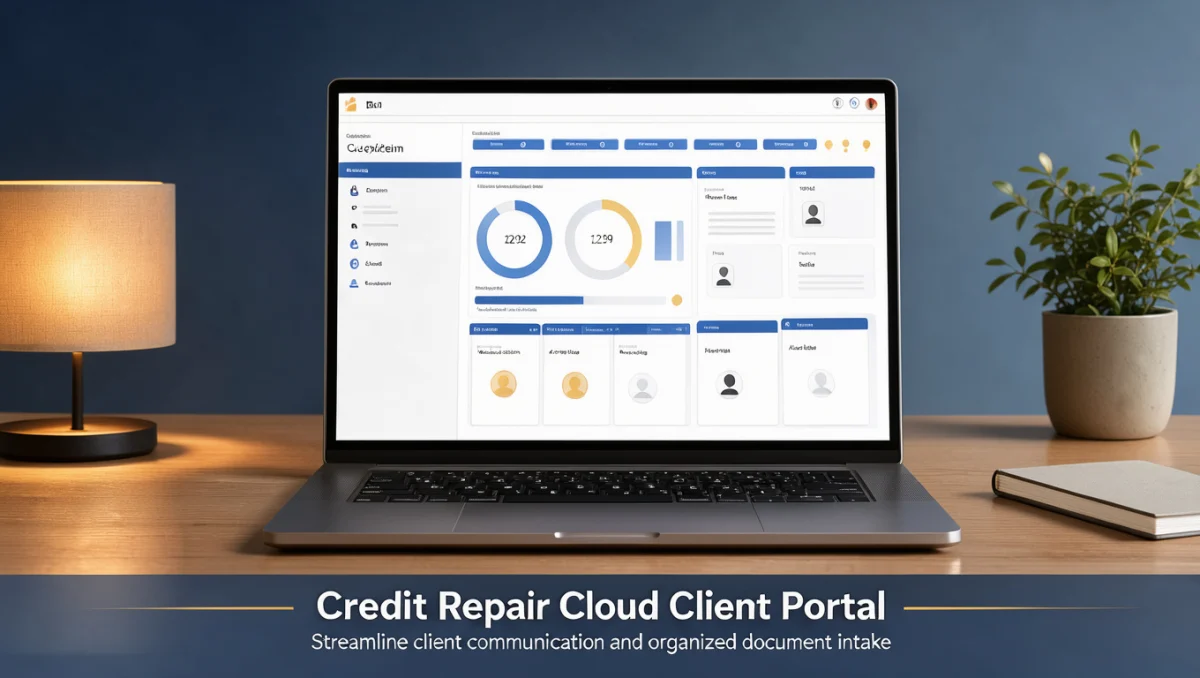
Think of the credit repair cloud client portal as a shared workspace where dispute firms post progress updates, gather client paperwork and keep conversations in one place. Businesses starting or growing a credit repair operation benefit from knowing exactly how a client-facing portal works, since it cuts down on confusion and repeat phone calls. At topappsreviews, we test business software to see whether its communication tools fit real operational needs. Explore the credit repair cloud client portal to understand its core value.
Choosing dispute software means striking a balance between giving clients easy access and keeping your staff's daily workload manageable. A well-designed portal lets consumers follow their case on their own schedule, freeing your team to focus on document processing and audit readiness. Before committing, buyers should check how transparency tools line up with their intake steps and service standards.
Quick verdict: With an overall rating of 7.9/10, the portal suits expanding dispute firms that need organized consumer document collection and automated status views. It is a weaker fit for general financial coaches who never handle bureau disputes and only want simple spreadsheet reporting.
| Metric | Summary |
|---|---|
| topappsreviews score | 7.9/10 |
| Best for | Dispute businesses seeking structured client communication and organized document intake |
| Not ideal for | Consultants managing general personal finance who do not produce bureau dispute correspondence |
| Key strengths | Dedicated dispute tracking interface, structured document uploads, specialized credit repair focus |
| What to check before buying | Review official plan limits on active client accounts and check current portal branding options |
1. How topappsreviews Reviewed Credit Repair Cloud
This review examines what Credit Repair Cloud is designed to do, who it serves and how it stacks up against similar tools. We applied the seven topappsreviews criteria: features, ease of use, pricing and value, integrations, audience fit, support and competitive position. Plans, prices and limits change frequently, so we flag what to verify on the official website before purchasing. This article was researched and drafted with AI assistance, then reviewed and edited by the topappsreviews Editorial Team.
2. What the Credit Repair Cloud Client Portal Is and Who Needs It
The portal gives consumer clients a dedicated digital space to view progress reports, upload identification records and read educational messages about their credit repair service. Credit Repair Cloud is a business management platform built specifically for credit repair organizations and dispute specialists. Instead of sending sensitive credit reports or identity documents as unencrypted email attachments, companies keep client records centralized in one structured environment.
Modern credit repair operations depend on systematic onboarding to set up legitimate service agreements. Since clients often want reassurance about ongoing bureau communications, a self-service portal offers direct visibility into each dispute cycle. This reduces daily inquiry volume and sets clear expectations between provider and consumer.
The firms that gain the most include credit repair startups, established dispute agencies and financial services companies handling structured credit rehabilitation. Practitioners offering broad wealth coaching or basic debt planning, with no bureau correspondence involved, will find a dedicated dispute portal unnecessary for their everyday work.
3. Core Features of the Credit Repair Cloud Client Portal

Assessing credit repair software means looking at how each functional module supports everyday client interactions. The portal links directly to Credit Repair Cloud's administrative back end, turning complex dispute activity into clear consumer milestones.
3.1. Client Onboarding and Agreement Signing
Onboarding starts the moment someone agrees to retain credit repair help. The portal guides consumers through confirming contact details, submitting identity documents and executing their contract.
Credit repair regulations require written client agreements before services begin. Digital onboarding inside a dedicated portal lets clients review required disclosures, accept service terms and sign electronically. This automated sequence means dispute specialists keep organized compliance records before sending any dispute letters.
3.2. Document Collection and Identity Verification
Credit bureaus need verifiable proof of identity, such as utility statements and government-issued ID, before they investigate disputed items. The portal provides structured upload areas where consumers submit these records directly.
Handling client files through secure portal channels keeps sensitive data organized by account, rather than scattered across email threads. Administrators can review uploaded images, request clearer scans when documents are illegible and mark verification steps complete without manual paperwork.
3.3. Dispute Progress and Status Tracking
Consumers hire credit repair firms to challenge questionable bureau entries, so ongoing status visibility is central to keeping clients. The portal displays visual milestones showing which bureau accounts are under review, in dispute or updated.
When bureaus return dispute outcomes, administrative teams update internal records, and the portal reflects those changes. Clients get a current view of completed work. Transparent milestone tracking builds confidence and cuts down on phone calls about timelines.
3.4. Secure Messaging and Direct Communication
Clear communication is essential to good customer service, especially when consumers are dealing with stressful financial problems. The portal includes messaging that lets clients and dispute staff exchange questions and progress notes in one archived space.
Keeping all messages tied to the client profile means nothing gets lost. When several staff members work on one account, any of them can read the message history and help without asking the client to repeat themselves.
4. Ease of Use and Learning Curve
Usability affects both administrative productivity and client follow-through. If the portal feels complicated, clients may skip uploading required documents or keep calling the office for basic updates.
For consumers, the portal presents a streamlined dashboard focused on tasks such as signing agreements or providing updated credit monitoring details. Clean navigation helps non-technical clients find their status summaries quickly, and the interface stays focused on clear visual progress markers.
For business operators, setup requires familiarity with Credit Repair Cloud's administrative settings. Adding company logos, welcome messages and onboarding workflows takes some initial planning. Once that is done, client accounts populate automatically during standard intake, creating an orderly handoff from sales intake to dispute processing.
5. Pros and Cons of the Credit Repair Cloud Client Portal
Weighing operational advantages against inherent constraints helps buyers make balanced decisions.
5.1. Advantages of Using the Client Portal
- Gives consumers round-the-clock visibility into dispute progress, reducing inbound calls to administrative staff.
- Centralizes sensitive document intake, linking proof of address and identification records directly to consumer profiles.
- Standardizes intake through digital agreement delivery and structured identity verification checkpoints.
- Keeps consumer communications in an audited message history that multiple dispute team members can access.
5.2. Limitations to Consider
- Depends on active consumer cooperation; clients who struggle with basic digital tools may still need phone guidance.
- Branding and color customization depend on software settings that buyers should verify on the official vendor website.
- The platform is focused strictly on credit repair disputes, offering limited value to firms doing broad general financial consulting.
6. Credit Repair Cloud vs Similar Dispute Platforms
Choosing software means understanding how Credit Repair Cloud positions its client management features against other known options in the credit dispute industry.
| Platform | Target Audience | Portal Focus | Primary Consideration |
|---|---|---|---|
| Credit Repair Cloud | Independent credit repair businesses and growing dispute firms | Dispute milestone tracking, document collection, onboarding agreements | Built specifically around high-volume bureau dispute generation workflows |
| DisputeSuite | Established credit repair agencies requiring enterprise management | Agency communication, task assignment, multi-tier client records | Oriented toward formal enterprise dispute processing structures |
| ScoreCeo | Credit repair companies wanting built-in marketing automation | Sales pipeline integration, consumer updates, compliance records | Blends client tracking with broader customer acquisition workflows |
Credit Repair Cloud focuses on helping dispute firms run systematic letter generation alongside client communication. DisputeSuite leans toward complex enterprise agency controls, and ScoreCeo highlights sales funnels, while Credit Repair Cloud keeps its workflow centered on dispute education and standardized bureau challenges. Buyers should decide whether their main challenge is customer acquisition, enterprise administration or structured client communication.
7. Who Should Use the Credit Repair Cloud Client Portal
Fit depends on business structure, service mix and team capabilities. Here is how different user types line up with this tool.
7.1. Small Credit Repair Agency Owners
Entrepreneurs launching independent dispute practices gain real value from automated client transparency. With limited administrative staff, owners cannot spend entire afternoons answering repeat status questions. Sending clients to a self-service portal frees time for audit generation, bureau follow-ups and business development.
7.2. Established Multi-Staff Dispute Teams
Agencies with several dispute processors need centralized record keeping. A structured portal keeps client messages, identification documents and signed disclosures in one shared system. Team members can cover for colleagues without disorganized data silos, maintaining service standards.
7.3. Mortgage and Real Estate Referral Partners
Credit repair firms often work with loan officers and real estate agents who refer credit-challenged buyers. A professional client portal reassures these partners that referred clients receive structured, legitimate guidance with clear documentation throughout their credit rebuilding process.
7.4. Groups That May Not Benefit
General financial planners, budgeting coaches and bankruptcy attorneys typically find little use in a dedicated credit repair portal. Their work involves financial modeling, court filings or cash flow strategy rather than recurring bureau dispute correspondence, so a general client portal or basic document vault is usually more practical.
8. How to Choose the Right Plan for Credit Repair Cloud
Vendors adjust subscription tiers and account allowances over time. To pick a suitable tier, compare your operational needs against current vendor offerings.
| What to Check on the Official Site | Why It Matters | Who Should Check Closely |
|---|---|---|
| Active client portal limits | Determines how many consumers can access tracking dashboards at once without extra seat charges | Firms managing substantial ongoing client rosters |
| Team member login allowances | Affects your ability to assign individual staff credentials for customer communication management | Growing agencies with dedicated customer service employees |
| Custom branding availability | Dictates whether company logos and custom domain access apply to client-facing portal pages | Established brands focused on maintaining consistent visual identity |
| Storage capacity for client files | Ensures adequate digital room for consumer credit reports, driver licenses and utility bills | High-volume dispute agencies processing extensive documentation |
9. Frequently Asked Questions
9.1. What information can consumers review inside the client portal?
Consumers typically see status summaries showing which disputed credit items are pending, verified or updated by bureaus. They can also review uploaded identification documents, download executed service contracts, read educational announcements and message their assigned dispute representative.
9.2. How should business owners verify current client portal limits?
Buyers should check the official Credit Repair Cloud pricing page for specific account allocations. Subscription tiers often define active client thresholds, team user limits and storage caps. Comparing your projected monthly client intake against official tiers keeps overhead predictable.
9.3. Why is a dedicated client portal better than email for document collection?
Bureau disputes require sensitive records such as Social Security cards, driver licenses and utility statements. Centralized portals store these confidential files within the client record, lowering the security risks of standard email attachments and preventing lost documents.
9.4. What preparation is needed before inviting clients to the portal?
Before sending invitations, owners should prepare standard service agreements, write clear onboarding instructions and upload branding assets. Making sure administrative staff understand the status update workflow means clients see accurate dispute information when they log in.
10. Final Verdict on the Credit Repair Cloud Client Portal
Evaluating specialized software means weighing its functional strengths against daily operational realities. At Top Apps Reviews, our assessments rely on seven standardized criteria to help buyers choose tools that support long-term growth.
| Criterion | Score /10 | Reason |
|---|---|---|
| Features | 8.5/10 | Provides tailored dispute tracking, digital onboarding and structured document intake built specifically for credit repair. |
| Ease of Use | 8.0/10 | Delivers a clean dashboard for consumer clients while requiring initial administrative configuration by business owners. |
| Pricing and Value | 7.5/10 | Subscription value depends on active client volume, so buyers should compare plan tiers against projected customer intake. |
| Integrations | 7.0/10 | Connects directly to the primary dispute platform, though third-party connections should be verified on the vendor site. |
| Audience Fit | 9.0/10 | Matches the specialized operational needs of credit repair startups and dispute agencies closely. |
| Support | 7.5/10 | Vendor resources focus on platform operation and dispute business basics; buyers should confirm current support options. |
| Competitive Position | 8.0/10 | Holds a focused role in the dispute industry alongside established alternatives like DisputeSuite and ScoreCeo. |
Overall score: 7.9/10
The credit repair cloud client portal is a practical option for credit repair businesses that want to organize client intake, streamline document handling and reduce repeat phone inquiries through transparent dispute tracking. General consultants will find the specialized focus unnecessary, but dispute professionals gain a structured communication environment that reinforces client confidence throughout the process. Confirm active client thresholds and branding terms on the official website before finalizing your choice.
Readers with software questions can reach Top Apps Reviews through the contact page at https://topappsreviews.com/contact/, or follow topappsreviews on LinkedIn at https://www.linkedin.com/company/topappsreviews/ for regular business software updates. Browse more guides in our Customer Service section.