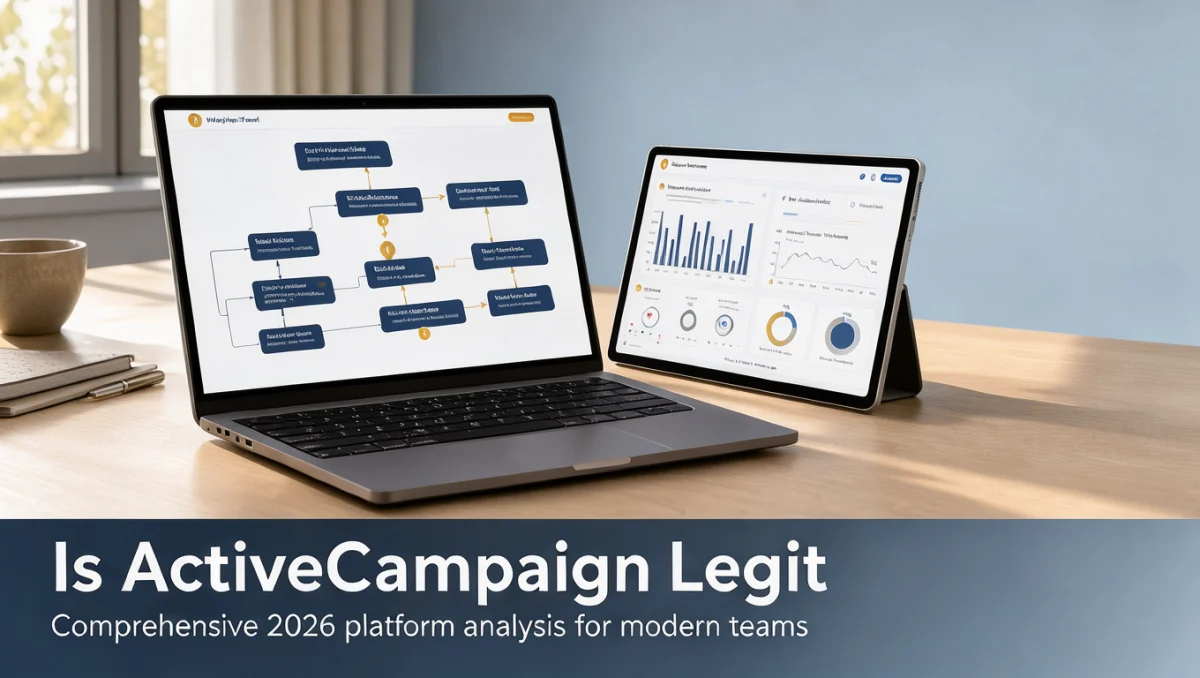
Before we start, a quick transparency note: topappsreviews may earn a commission when you buy through links on this page, at no extra cost to you, and this never changes our ratings. Now, the real question: is ActiveCampaign legit for teams that need dependable customer messaging and automated marketing workflows? In short, yes. It is an established marketing automation and CRM platform that brings email campaigns, contact records, and sales pipelines into one workspace. Before you move your contact list over, though, confirm the vendor's infrastructure and pricing terms that fit your business.
The right choice depends on how well contact management, behavioral triggers, and sales tracking match your team's skill level. Below, Top Apps Reviews walks through how the platform works, where it shines, and what to check before committing your data and budget.
Quick verdict: ActiveCampaign earns 7.8 out of 10 as an automation and contact management tool. It suits growing teams and digital marketers who need detailed workflow branching and unified customer records. It is a weaker fit for solo operators who only send occasional plain announcements and want minimal setup.
| Metric | Summary Details |
|---|---|
| topappsreviews score | 7.8 / 10 |
| Best for | Growing marketing and sales teams that need multi-step automation and combined contact records. |
| Not ideal for | Sole proprietors or occasional senders who only need basic broadcasts without multi-stage sequences. |
| Key strengths | Visual automation design, unified email messaging, contact lifecycle management, and deal pipeline coordination. |
| What to check before buying | Review the official ActiveCampaign pricing page for tier limits on contacts, sending volume, and seat allowances. |
How topappsreviews Reviewed ActiveCampaign
We assessed what ActiveCampaign is built to do, who it serves, and how it stacks up against similar tools, using our seven criteria: features, ease of use, pricing and value, integrations, audience fit, support, and competitive position. Plans, prices, and limits change often, so we flag what to confirm on the official website before purchase. This article was researched and drafted with AI assistance, then reviewed and edited by the topappsreviews Editorial Team.
What Is ActiveCampaign and Who Is It For?
ActiveCampaign is a customer experience automation platform that combines email marketing, marketing automation, and sales pipeline tracking. It helps organizations follow prospect interactions, send targeted email sequences based on user activity, and keep a centralized history of customer conversations across departments.
When deciding whether ActiveCampaign is right for your organization, consider your internal capacity for data-driven communication. The platform mainly serves growing businesses, digital agencies, and marketing specialists who need structured lead nurturing rather than one-off message delivery. Teams that run distinct sales stages alongside marketing campaigns use it to pass qualified leads directly to sales representatives.
Core Features of the ActiveCampaign Platform

ActiveCampaign organizes its functionality around contact data, automated logic, and multichannel outreach, helping teams streamline audience engagement.
Email Marketing and Campaign Design
Users can build custom email templates, schedule broadcasts, and send targeted newsletters to segmented lists. Structured design editors support personalized content through dynamic fields, and basic engagement metrics such as delivery and open activity are available after each send.
Visual Automation Builder
The visual builder lets marketers map multi-step subscriber journeys using conditional logic, wait intervals, and goal-based actions. When a contact visits a specific page or completes a form, the system can trigger follow-up messages, update contact tags, or alert team members.
Contact Management and Audience Segmentation
ActiveCampaign keeps central contact records, tracking custom profile fields, interaction histories, and engagement tags. Marketers can build detailed segments combining past engagement, demographics, and behavioral criteria so messages reach the right people.
Sales Pipeline and Deal Tracking
Deal tracking lets sales staff monitor prospects across defined stages. Representatives can assign tasks, log call notes, and work alongside automated sequences that update deal status as buyers progress through the conversion process.
Ease of Use and Learning Curve
ActiveCampaign offers deep functionality, which means a moderate learning curve for new administrators. Creating a simple broadcast is straightforward, but building complex automation maps with multiple branches requires careful planning, tag hygiene, and testing before launch.
Multi-branch logic works best when teams set naming conventions and clear data structures early. Organizations with dedicated marketing staff usually adapt well to the visual interface. Solo entrepreneurs with limited technical experience may find the extensive configuration options demanding during onboarding.
Pros and Cons of ActiveCampaign
Weighing both advantages and practical limits helps you judge whether the software fits your organization.
Platform Pros
- Sophisticated automation logic supports multi-step sequences, conditional branches, and event-based triggers.
- Centralized contact tracking places email interaction history and sales deal stages in one workspace.
- Detailed segmentation permits targeted messaging based on tags, custom fields, and engagement history.
- Extensive template options help users launch initial campaign designs quickly.
Platform Cons
- The broad feature set creates a steep learning curve for teams new to marketing automation logic.
- Costs scale as contact databases grow, so regular list cleaning is needed to avoid unnecessary spending.
- Initial setup takes significant time to build tags, fields, and workflow automations properly.
ActiveCampaign vs Similar Tools
Comparing ActiveCampaign with alternatives clarifies where it sits in the wider marketing software landscape.
| Platform | Primary Focus | Best Suited For | Key Consideration |
|---|---|---|---|
| ActiveCampaign | Automation sequences and sales pipeline tracking | Teams wanting multi-branch customer journeys and CRM alignment | Requires structured planning to configure and maintain |
| Mailchimp | Broad email marketing and beginner-friendly campaigns | Small businesses seeking simple newsletter distribution | Advanced logic structures are less flexible for intricate workflows |
| HubSpot | Inbound marketing, content management, and enterprise CRM | Mid-size to enterprise organizations needing full departmental alignment | Broader operational scope often means higher ongoing cost |
| Klaviyo | Ecommerce-focused messaging and purchase event automation | Online retailers focused on transactional and shopping data | Less suited to B2B service teams needing traditional sales pipelines |
Buyers who only send occasional newsletters often prefer simpler broadcast tools. Teams running high-touch sales cycles or multi-tier customer onboarding benefit more from ActiveCampaign's advanced logic.
Who Should Use ActiveCampaign?

Knowing your audience fit ensures the platform matches your internal capabilities and daily needs.
Recommended User Groups
- Growing Marketing Teams: Departments that need sophisticated workflow branching, tag-based segmentation, and automated lead nurturing.
- B2B Service Providers: Organizations that want sales pipeline tracking connected directly to marketing engagement histories.
- Digital Agencies: Agencies managing client retention sequences, lead qualification paths, and automated customer journeys.
- E-commerce Businesses: Online stores sending targeted lifecycle sequences based on subscriber interaction history.
Groups That Should Consider Other Options
- Occasional Senders: Hobbyists, solo creators, or community clubs that send monthly updates and don't need automation logic.
- Teams Seeking Instant Setup: Organizations without the time to configure custom fields, tags, and workflow rules.
How to Choose the Right Plan
Vendors adjust pricing tiers based on contact limits, feature access, and seat counts. Check these variables on the official ActiveCampaign website before subscribing.
| What to Check | Why It Matters |
|---|---|
| Contact Database Tiers | Subscription costs rise as your subscriber list grows, making database size a primary budget driver. |
| User Seat Allowances | Each tier specifies how many team members can log in concurrently without buying extra seats. |
| Sales Pipeline Access | Deal management is often bundled only in specific service packages. |
| Sending Volume Policies | Confirm whether monthly sending caps fit your expected audience size and broadcast frequency. |
Frequently Asked Questions
How should a business evaluate contact list requirements before signing up?
Audit your existing subscriber lists and remove inactive, bounced, or unengaged contacts before importing them into a new system. Since marketing platform costs generally rise once contact counts cross tier thresholds, a cleaned list keeps ongoing expenses predictable.
What internal preparation is needed before launching automated marketing workflows?
Map your customer journey on paper or a digital whiteboard before opening the software. Defining entry triggers, wait periods, email content, and conversion goals in advance prevents circular logic errors and ensures the sequence behaves as intended.
How does marketing automation software differ from basic email newsletter tools?
Basic newsletter tools mainly send one-time messages to an entire list at a scheduled time. Marketing automation software monitors ongoing subscriber behavior and delivers pre-written messages dynamically based on actions, timing rules, and profile updates.
What factors affect the total operational cost of marketing software?
Beyond the base subscription, total spending can include third-party template designs, integration middleware, team training hours, and periodic list verification services. Evaluating every operational element prevents unexpected budget changes later.
Final Verdict
ActiveCampaign is a dependable, sophisticated automation and contact management platform for organizations that want to coordinate customer interactions across the buying journey. By combining flexible visual workflows with built-in sales tracking, it helps teams automate repetitive communication while keeping customer profiles organized.
| Criterion | Score / 10 | Reason |
|---|---|---|
| Features | 8.5 / 10 | Offers advanced multi-branch automation, visual journey builders, and sales pipeline management. |
| Ease of Use | 7.0 / 10 | The depth of configuration and automation logic introduces a noticeable learning curve. |
| Pricing and Value | 7.5 / 10 | Delivers strong capability for growing teams, though costs rise as contact lists expand. |
| Integrations | 8.0 / 10 | Connects with major third-party platforms across e-commerce, forms, and business tools. |
| Audience Fit | 8.5 / 10 | Fits growing businesses, agencies, and active digital marketers who use behavioral triggers. |
| Support | 7.0 / 10 | Verify on the official site which support channels match your plan tier. |
| Competitive Position | 8.0 / 10 | Holds a strong standing by balancing advanced logic with accessible design. |
Overall topappsreviews Score: 7.8 / 10
For organizations ready to implement structured email nurturing, automated lead routing, and clear contact segmentation, ActiveCampaign is a legitimate and capable software investment in 2026. Audit your contact database size and confirm tier details on the official ActiveCampaign website to make sure the platform fits your growth plans.
Have questions about choosing marketing software or structuring your tech stack? Reach out to our team at https://topappsreviews.com/contact/ or connect with topappsreviews on LinkedIn at https://www.linkedin.com/company/topappsreviews/.