Some links on this page may earn Top Apps Reviews a commission when you purchase through them, at no extra cost to you. Ratings remain independent.
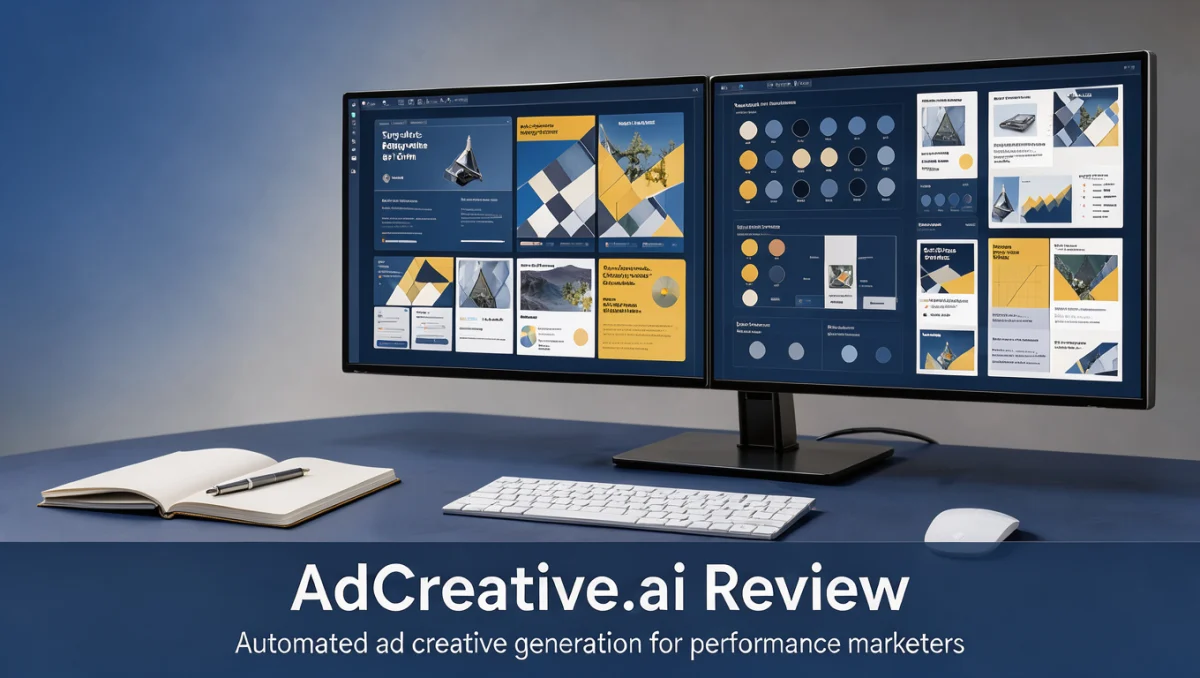
Paid media teams regularly run short on visual output while juggling fast testing cycles. Dedicated creative automation tools promise to close that gap, and adcreative ai for performance marketers is one of the platforms built for exactly that purpose. It generates banners, product visuals, and promotional text for multiple ad placements, aiming to keep campaign volume moving without overloading designers.
Our editorial team tested how effectively the platform reduces production bottlenecks across ad networks. We also weighed the practical trade-offs of relying on machine-generated visuals and listed the checks worth completing before a 2026 subscription commitment.
Quick verdict: With a score of 7.9/10, the tool suits paid acquisition specialists and direct-response teams that need quick visual variants for display and social tests. It falls short for brand agencies that depend on hand-drawn illustration or detailed manual art direction.
| Metric | Summary |
|---|---|
| topappsreviews score | 7.9/10 |
| Best for | Paid media teams and growth specialists who need continuous creative iterations across multiple aspect ratios |
| Not ideal for | Organizations that rely entirely on bespoke illustration, complex print media, or custom vector branding |
| Key strengths | Rapid generation of standard ad formats, automated promotional text options, and centralized brand profile management |
| What to check before buying | Review active asset download quotas, user seat allocations, and rendering allowances on the official provider website |
1. How topappsreviews Reviewed the Platform
We assessed the product across seven criteria: features, ease of use, pricing and value, integrations, audience fit, support, and competitive position. Plans, prices, and usage limits shift frequently, so we flag the details you should confirm on the official website before purchasing. This article was researched and drafted with AI assistance, then reviewed and edited by the topappsreviews Editorial Team.
2. What Is the Platform and Who Is It For?

The tool is creative automation software that pairs structured design templates with automated layout logic and text generation. It targets the production side of paid advertising on major networks, including display platforms, social feeds, and search environments. Rather than positioning each element by hand, users supply brand assets and product imagery, then receive preformatted ad variations ready for export.
Its core audience includes performance marketers, media buyers, e-commerce managers, and digital agencies running frequent multi-variant tests. Preparing separate sizes for vertical stories, square feeds, and horizontal banners consumes significant design time, and the platform is built to shorten that cycle by generating complete creative sets from defined brand parameters.
Teams focused on organic storytelling, detailed product packaging, or narrative video may find the templated approach limiting. The system addresses repetitive layout production rather than open-ended visual artistry. Deciding whether this orientation fits your testing cadence is the key question for anyone evaluating artificial intelligence software for marketing operations.
3. Core Features

Understanding the main capabilities helps marketing teams judge whether the platform can slot into existing production workflows without creating friction.
3.1. Automated Visual Generation
The visual engine is the heart of the product. It turns uploaded product photography, background textures, and brand marks into advertising banners. Marketers choose a target format, such as a social post size or display banner, and the platform produces dozens of iterations with varied typography placement and visual hierarchy. Media buyers can gather creative variations for multivariate testing without queuing requests with an art director.
3.2. Ad Copy Generation
Alongside imagery, the system drafts headlines, body text, and call-to-action prompts. Copy follows common advertising frameworks and aligns with product descriptions and campaign goals. Performance marketers can pair text with matching visuals to assemble cohesive test sets directly inside the interface.
3.3. Brand Identity and Asset Management
To keep generated assets consistent, the platform offers centralized brand profile management. Users store color palettes, custom typefaces, logos, and product libraries in dedicated brand folders. Automation rules then reference these parameters across every generation, reducing off-brand color shifts or misplaced logos during high-volume production.
3.4. Creative Scoring and Analytics Overview
The software assigns algorithmic ratings to generated creatives based on historical design patterns and compositional balance. These scores offer useful guidance on contrast and text readability, but teams should validate engagement through live campaign performance rather than rely on automated indicators alone. Buyers can check on the official website how the scoring model handles recommendations across different industries.
4. Ease of Use and Learning Curve
The platform follows a structured, step-by-step workflow that walks users through brand setup, asset input, and export selection. New users can complete setup without prior design experience, since guided form fields replace complex vector editing. The interface favors structured inputs over blank-canvas freedom.
The main learning curve lies in preparing strong source assets. Automated design depends on clean background separation, sharp product photography, and concise descriptions. Low-resolution or poorly cropped inputs produce banners that need manual fixing. Teams coming from traditional design suites must shift from adjusting individual layers to reviewing batches of finished layouts.
Project organization relies on brand folders and categories. Teams managing many product lines should set naming conventions early to avoid clutter. Overall, the barrier to entry is low for marketers already comfortable with digital advertising dashboards.
5. Pros and Cons
Every creative automation platform offers clear operational benefits alongside design constraints that buyers must weigh against their campaign needs.
5.1. Pros
- Rapid batch generation reduces production bottlenecks for standard banner dimensions.
- Structured brand profiles help maintain color and typographic consistency across large test batches.
- Automated copywriting provides quick starting points for promotional headlines.
- The guided interface lets non-designers produce campaign-ready collateral for routine testing.
- Multiple aspect ratios can be configured at once from a single input set.
5.2. Cons
- Generated layouts follow formulaic structures that can feel repetitive over long campaigns.
- Manual adjustment options are narrower than in dedicated vector editing suites.
- Visual quality depends heavily on the source imagery supplied.
- Custom typographic tweaks and complex vector work require external editing software.
6. How It Compares With Similar Tools
The digital advertising software market includes several categories of creative tools, each serving different production needs. Knowing where this platform sits among alternatives clarifies which option fits your requirements.
Canva is a broad design platform built around intuitive manual composition, with large template libraries for social graphics, presentations, and print. It offers flexible drag-and-drop freedom across document types, but each layout is positioned manually rather than batch-generated for performance ad testing.
Bannerbear takes a programmatic approach, automating image and video rendering through code triggers and structured templates. Development-oriented teams often use it for automated catalog generation. This platform, by contrast, is aimed at marketers running campaigns through a guided interface, without requiring custom template development.
Adobe Express offers polished design tools backed by extensive asset libraries and typography controls. It suits general marketing teams and content creators who need detailed visual refinement, whereas this tool concentrates on high-volume output formatted for paid digital media testing.
7. Who Should Use It?
Choosing creative software means matching the platform's strengths to your organization's workflow. Different marketing roles benefit to different degrees depending on how fast their campaigns move.
7.1. Performance Marketers and Media Buyers
Paid acquisition specialists running continuous tests across display and social channels gain real efficiency from batch generation. Instead of pausing ad groups while waiting for revisions, media buyers can produce fresh asset batches on their own to counter creative fatigue.
7.2. E-commerce Store Owners
Online store operators running catalog promotions often need regular banners for seasonal events, clearance sales, and retargeting sequences. The platform allows rapid production of promotional assets from isolated product photos without a dedicated agency retainer for basic sales graphics.
7.3. Digital Advertising Agencies
Agencies serving multiple small and mid-sized clients can use centralized brand profiles to produce baseline campaign variations quickly. Account managers can organize distinct client assets while sustaining production volume across concurrent accounts.
7.4. Groups Not Suited to the Platform
Brand-first agencies that need bespoke illustration, identity designers building custom icon sets, and teams producing long-form narrative content will find template-based generation too rigid. Organizations with low ad refresh needs may also find dedicated generation software unnecessary.
8. How to Choose the Right Plan
Subscription tiers in this category are typically structured around production volume, team access, and account management capacity. When reviewing options on the official pricing page, consider the following criteria to identify the right tier.
| What to check | Why it matters |
|---|---|
| Asset generation and download allowances | Monthly allocation rules dictate how many unique creative variations your team can export for active campaigns. |
| Team user seat allotments | Collaborative setups require individual logins for designers, copywriters, and media buyers. |
| Connected brand profiles | Agencies and multi-brand businesses must confirm the subscription covers their full portfolio of client accounts. |
| Rendering format access | Confirm whether animation features or high-resolution exports carry separate plan requirements. |
| Data retention policies | Check how long stored brand assets and past generations remain accessible in your account library. |
9. Frequently Asked Questions
What factors should determine whether creative automation software fits our workflow?
Assess your weekly creative testing volume and how often you refresh ads. If media buyers regularly delay launches because visual assets run short, automated layout tools offer clear value. Teams running only occasional static promotions usually get enough output from standard graphic design software.
What source materials should a team prepare before using an automated ad generator?
Optimal results come from high-resolution product photography with clean backgrounds, official brand color codes, vector logos, and approved typography files. Well-organized source assets prevent visual distortion and keep automated banners aligned with brand guidelines.
How should performance marketing teams budget for creative software subscriptions?
Account for the core subscription, any extra seats for collaborators, and possible asset download top-ups during peak seasonal promotions. Comparing these costs with your current external design spending shows whether automated output justifies the expense.
What is the recommended workflow for testing machine-generated ad variants?
Isolate one variable per test flight, such as headline wording, color dominance, or background composition. Running batch generations through controlled split tests lets acquisition teams collect reliable engagement data.
10. Final Verdict
Adcreative ai for performance marketers tackles a pressing challenge for performance teams: producing enough visual variants to support aggressive ad testing without growing design headcount. The platform delivers structured layout generation and automated copy drafting through an accessible, guided interface. It does not replace the nuanced judgment of experienced art directors on bespoke brand campaigns, but it works well as a practical production engine for paid acquisition specialists.
| Criterion | Score /10 | Reason |
|---|---|---|
| Features | 8.5/10 | Comprehensive generation across visual banners, text variants, and brand profile management. |
| Ease of Use | 8.0/10 | Structured step-by-step workflow accessible to team members without professional design backgrounds. |
| Pricing and Value | 7.0/10 | Value depends on continuous monthly testing volume; buyers must verify credit rules on the official page. |
| Integrations | 7.5/10 | Supports standard export options; users should confirm connection options for ad networks directly. |
| Audience Fit | 9.0/10 | Strong alignment with the daily production demands of direct-response media buyers and growth marketers. |
| Support | 7.0/10 | Review available documentation and account support tiers on the official site. |
| Competitive Position | 8.0/10 | Clear focus on ad variant generation compared with general-purpose vector and layout applications. |
Overall score: 7.9/10
For independent digital marketers, e-commerce growth teams, and performance agencies running continuous paid flights, this platform offers practical automation that speeds up testing. Review your monthly asset volume needs and check the official website to make sure the subscription matches your media budget.
Readers with further software evaluation questions can reach the editorial team through Top Apps Reviews for ongoing buying guidance.