topappsreviews may earn a commission when you buy through links on this page, at no extra cost to you. This does not affect our ratings.
Choosing customer experience software often comes down to one question: will the tool simplify how you reach your audience, or add administrative weight your team cannot carry? This activecampaign review looks at that trade-off in practical terms, so you can judge the platform against your real workflow and staffing rather than marketing claims. At Top Apps Reviews, we focus on the day-to-day realities of each product.
Growing organizations need to know whether a centralized automation system will keep communication organized as contact lists expand. Weighing automation depth against the effort required to set it up tells you whether a platform will support growth or slow your operations down.
Quick verdict: With an overall score of 7.9/10, ActiveCampaign suits growing businesses, digital agencies, and marketing teams that want multi-step visual automations and built-in contact management. It is a weaker fit for solo operators who only need basic newsletter delivery with minimal configuration.
| Metric | Summary Details |
|---|---|
| topappsreviews score | 7.9/10 |
| Best for | Teams building multi-branch customer journeys and integrated lead management |
| Not ideal for | Casual creators who want simple broadcast tools with no setup effort |
| Key strengths | Visual workflow builder, conditional segmentation, and unified contact tracking |
| What to check before buying | Contact tier brackets, seat licensing, and renewal terms on the official ActiveCampaign pricing page |
1. How topappsreviews Evaluated ActiveCampaign
We assessed the platform against seven criteria: features, ease of use, pricing and value, integrations, audience fit, support, and competitive position. Plans, prices, and limits change frequently, so treat our notes as a starting point and confirm current details on the official website before purchasing. This article was researched and drafted with AI assistance, then reviewed and edited by the topappsreviews Editorial Team.
2. What ActiveCampaign Does and Who It Serves
ActiveCampaign is a customer experience automation platform that combines email messaging, visual marketing workflows, and customer relationship management in one system. It helps teams coordinate transactional updates, segmented campaigns, and sales lead progression as their audience grows.
Companies adopt this category of software to remove the data gaps that appear when campaign tools and pipeline trackers operate separately. A single system can manage interactions from first sign-up through repeat engagement and retention.
Target Audience and Ideal Operational Context
The platform fits small to mid-sized businesses, digital marketing teams, and service agencies that manage detailed customer journeys. Teams that act on behavioral triggers such as page visits, form submissions, and purchases get the most value from structured automation logic.
Businesses with simple broadcast needs often find the configuration demands excessive. If your main goal is sending an occasional promotion to an unsegmented list, a lighter newsletter service is usually the more practical choice.
3. Core Features and Automation Capabilities

To judge an automation platform, look at how its core systems handle contact records, visual trigger logic, dynamic content, and sales tasks. This shows how each part supports everyday operations.
Visual Workflow Automation
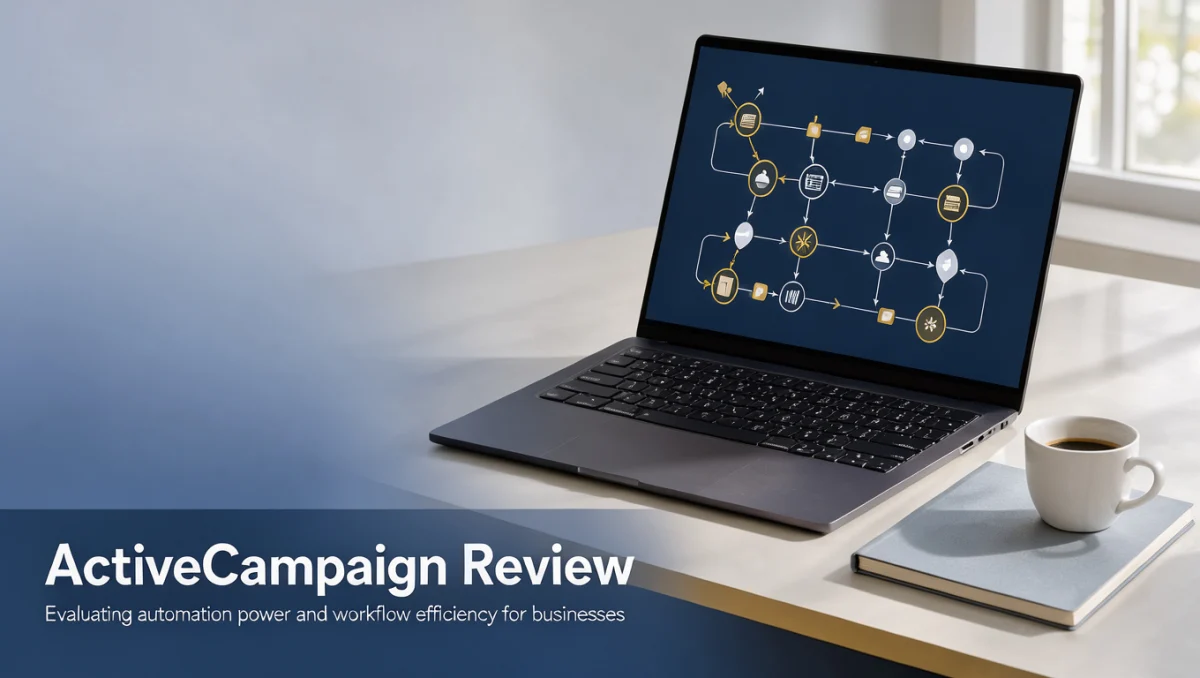
The visual workflow builder lets you assemble conditional paths that run based on subscriber behavior. You set entry triggers such as link clicks, tag changes, or field updates, then configure follow-up actions along branching routes.
These paths support wait conditions, split tests, and conditional filters that send tailored messages to specific audience groups. Well-structured paths cut administrative work while keeping leads routed in an orderly way across departments.
Audience Segmentation and Dynamic Tagging
Segmentation keeps subscriber groups current using engagement data, location, and custom purchase fields. The platform supports multi-condition logic, so you can combine several rules for precise targeting.
Dynamic tagging records interests and purchase intent throughout the customer journey. This data foundation lets you send contextual messages without rebuilding recipient lists by hand for each campaign.
Email Campaign Creation and Delivery Management
The campaign builder offers templates, drag-and-drop design modules, and conditional content blocks that display different text or images based on contact tags. One broadcast can therefore deliver customized information to several market segments.
Delivery tools monitor bounces, run spam compliance checks, and manage unsubscribes. Consistent message management protects sender reputation across high-volume sending schedules.
Integrated Contact Management and Sales Pipelines
The built-in contact database brings together communication history, recorded events, and lead scores on each profile. Teams track deals across customizable pipeline boards and move opportunities through negotiation stages automatically.
Linking marketing interactions with deal pipelines means client-facing staff can see past marketing touchpoints at a glance. Automated task creation also alerts team members when high-value accounts show renewed interest.
4. Ease of Use and Learning Curve
In advanced automation software, usability is a balance between flexibility and interface complexity. Basic navigation is straightforward, but mastering conditional logic takes dedicated onboarding time and careful planning.
New administrators often find it difficult at first to build multi-branch sequences, map fields, and organize contact taxonomy. Setting clear tagging conventions early keeps your contact directory from becoming cluttered as it grows.
Planning your system architecture before launching automated workflows prevents tag sprawl and broken trigger sequences that disrupt customer communications.
Plan for a structured adjustment period during onboarding. Teams that map out their messaging journeys before configuring triggers tend to have smoother rollouts than those who set things up ad hoc.
5. ActiveCampaign Pros and Cons
Weighing both the strengths and the operational constraints helps you set realistic expectations before subscribing.
Key Advantages
- The visual automation builder supports complex branching logic and behavioral triggers.
- One system connects email distribution with sales pipeline tracking.
- Granular segmentation allows precise message customization based on user actions.
- Flexible customization supports a range of operating models and workflows.
Operational Considerations and Mitigations
- The learning curve can slow adoption for non-technical staff; a phased rollout and foundational training help.
- Dense interfaces require careful navigation, which standard internal admin procedures can address.
- Ongoing configuration demands regular audits to prevent duplicate tags and conflicting workflow triggers.
- Plan tiers differ in capabilities, so confirm the tools you need on the official vendor pricing page before buying.
6. ActiveCampaign vs Similar Tools
Knowing where ActiveCampaign sits among alternatives helps you match the platform to your team's technical comfort. This activecampaign review comparison covers several common market options.
| Software | Market Positioning | Core Functional Focus | Primary Consideration |
|---|---|---|---|
| ActiveCampaign | Automated customer experience platform | Complex visual logic and sales pipeline integration | Requires dedicated onboarding effort |
| Mailchimp | Broad-spectrum marketing software | Template-driven campaign broadcasting | Focuses on entry-level marketing convenience |
| HubSpot | All-in-one business growth platform | Unified inbound marketing and enterprise relationship tracking | Broad scope across company operations |
| Klaviyo | E-commerce focused messaging platform | Transaction-based automation for online retail | Tailored specifically around retail store data |
| Brevo | Multichannel operational messaging suite | Transactional notifications and communication tools | Suited for basic multichannel deployment |
In the wider marketing technology space, buyers often choose between specialized workflow depth and general-purpose communication tools. Mailchimp emphasizes fast campaign dispatch for small businesses, while HubSpot provides unified governance across large organizations.
ActiveCampaign focuses on sophisticated workflow logic without requiring an all-encompassing enterprise ecosystem. Decide whether your main need is straightforward campaign delivery, retail transaction analysis, or complex cross-departmental automation.
7. Who Should Use ActiveCampaign
Fit depends heavily on business size, technical capacity, and the main goal of your communication strategy.
Freelancers and Solo Consultants
Solo operators handling high-value consulting work can use automated lead nurturing to qualify prospects without writing every email by hand. Freelancers with small contact lists and basic service offerings, however, may find the setup effort out of proportion to their needs.
Small Business Owners
Owners of established service firms or online stores benefit from routing customer inquiries straight into pipeline workflows. Automated follow-ups make sure inbound opportunities get timely responses while cutting repetitive admin tasks.
Marketing Professionals and Agencies
Marketing teams and creative agencies are the core audience that gets the most from advanced automation. They can build tailored retention funnels, track behavioral signals, and report on lead qualification across several client accounts.
Corporate Office Teams
Internal communications and administrative departments in larger organizations can use automation to route information requests and event registrations. Organizations with strict internal infrastructure policies should confirm that cloud-hosted workflows meet their governance rules.
Students and Non-Commercial Users
Students and hobbyists exploring digital communication usually find business-grade automation more complicated than they need. Free educational resources and lightweight mailing tools are far more accessible for learning the basics.
Groups That Should Consider Alternatives
Casual newsletter publishers, teams without dedicated admin resources, and businesses that only send simple transactional confirmations should look elsewhere. For these cases, straightforward dispatch tools deliver value faster with less administrative drag.
8. How to Choose the Right Plan
Subscription software usually bundles features by contact database size, seat licenses, and specialized functions. Review plan inclusions carefully to avoid unexpected cost increases as your operations grow.
| What to Check on the Official Pricing Page | Why It Matters |
|---|---|
| Contact volume thresholds | Database tier boundaries determine baseline subscription costs as your audience expands |
| User seat allocations | Additional administrative seats may require plan upgrades or separate recurring seat fees |
| Automation and workflow limits | Advanced conditional actions or custom pipeline modules might reside in higher subscription tiers |
| Data retention policies | Historical event tracking and contact activity logs may carry specific retention windows |
| Support availability channels | Different plan levels may provide distinct communication paths for technical troubleshooting |
To prevent surprise budget changes, audit your active subscriber list and remove duplicate or unengaged contacts before migrating data. Check the official plan comparison to confirm that the tools you need every day are included in the tier you plan to buy.
9. Frequently Asked Questions
How should an organization prepare its contact database before migrating
Audit existing subscriber records, delete inactive or bounced addresses, and document every current tag definition. A clear data dictionary helps historical contacts map cleanly into new custom fields without creating duplicates.
What factors influence the total software cost beyond the base subscription
Total spending usually depends on contact volume tiers, the number of staff who need admin access, and any third-party data enrichment tools. Project subscriber growth over twelve months to set a realistic operating budget.
How long does initial setup typically require for a small marketing team
Timelines depend on how clean your database is and how complex your customer journeys are. Basic email sending can start within days, while multi-branch workflows and pipeline integration often take several weeks of careful configuration and testing.
What administrative practices prevent automation conflicts over time
Strict naming conventions for tags and workflows prevent campaigns from triggering each other by accident. Quarterly reviews of active sequences let you retire outdated paths before they confuse current contacts.
When should a growing business consider upgrading subscription levels
Upgrades make sense when audience size exceeds your current tier or when your team needs specialized permissions and advanced reporting. Reviewing usage every quarter helps managers spot when a tier change is justified.
10. Final Verdict
ActiveCampaign provides an advanced customer experience engine for businesses that treat automation as a core revenue driver. It requires a real commitment to training and regular admin upkeep, but its ability to combine complex behavioral logic with sales pipeline tracking gives expanding organizations strong value.
| Evaluation Criterion | Score /10 | Editorial Assessment |
|---|---|---|
| Features | 8.5/10 | Advanced visual automation builder, dynamic tagging, and integrated deal pipelines provide extensive operational flexibility. |
| Ease of Use | 7.0/10 | Comprehensive feature depth creates a noticeable learning curve that requires structured training for new administrators. |
| Pricing and Value | 7.5/10 | Tiered models scale alongside contact volume, requiring buyers to verify exact feature distribution on the official pricing page. |
| Integrations | 8.0/10 | Broad ecosystem connectivity allows seamless synchronization across popular web services, payment systems, and form builders. |
| Audience Fit | 8.5/10 | Highly aligned with small-to-midsize businesses, digital agencies, and growth teams that actively manage detailed customer journeys. |
| Support | 7.5/10 | Standard troubleshooting resources and documentation provide reliable guidance, though access channels vary across plan levels. |
| Competitive Position | 8.0/10 | Maintains a distinct market niche by delivering deeper automation logic than entry-level tools without enterprise-level implementation overhead. |
Overall topappsreviews Score: 7.9/10
For small businesses and agencies ready to build structured, multi-step customer journeys, ActiveCampaign is a solid, future-ready investment. If you only need basic monthly newsletters, choose a simpler alternative so you do not pay for automation you will not use.
Readers with specific implementation questions or software evaluation requests can reach the topappsreviews team through our official contact portal or connect with topappsreviews on LinkedIn for ongoing software analysis.