Top Apps Reviews may earn a commission when you buy through links on this page, at no extra cost to you. This does not affect our ratings.
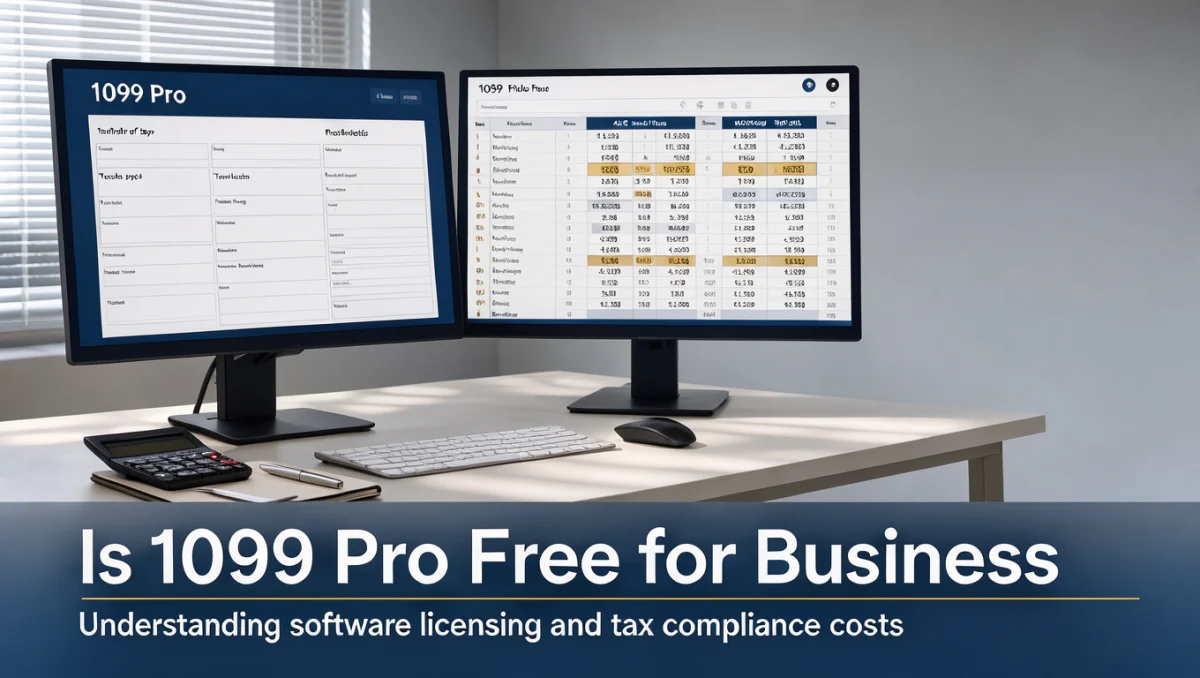
Many finance teams ask whether is 1099 pro free before choosing software to file annual information returns. Before committing budget, it helps to understand how vendors price licenses, handle form volumes, and charge for ongoing compliance work.
Tax reporting platforms must follow strict federal and state rules, so accurate e-filing, recipient copies, and state submissions all require regular maintenance. Knowing whether is 1099 pro free or priced on paid licenses lets payroll and accounting managers forecast tax season spending with confidence.
Quick verdict: With an overall score of 7.6/10, 1099 Pro covers information return compliance for businesses managing contractor and vendor tax reporting. Buyers should confirm current licensing tiers on the official site before purchasing. It suits compliance teams that need repeatable filing workflows, but it is less suited to solo operators who only want occasional free submissions.
| Evaluation Metric | Summary Details |
|---|---|
| topappsreviews score | 7.6/10 |
| Best for | Compliance professionals and financial controllers processing regular batches of annual tax returns |
| Not ideal for | Micro-enterprises filing only one or two contractor forms seeking informal free web utilities |
| Key strengths | Dedicated focus on federal and state information return reporting and recipient distribution |
| What to check before buying | Review the official 1099 Pro pricing page to confirm form quantity brackets and electronic filing costs |
1. How topappsreviews Reviewed 1099 Pro
This review examines what 1099 Pro is designed to do, who it serves, and how it compares with similar tools. We assessed it against seven topappsreviews criteria: features, ease of use, pricing and value, integrations, audience fit, support, and competitive position. Plans, prices, and limits change frequently, so we flag what to confirm on the official website before buying. This article was researched and drafted with AI assistance, then reviewed and edited by the topappsreviews Editorial Team.
2. Is 1099 Pro Free and How Pricing Works
Questions about whether is 1099 pro free usually reflect a wish to keep recurring compliance costs low. Tax filing vendors serve a specialized market where rules change every calendar year, so developers must release frequent specification updates. Because federal and state agencies revise reporting formats continually, professional compliance tools rely on structured licensing rather than open-ended free use.
Tax information return platforms typically sell through annual subscriptions, perpetual licenses with yearly update maintenance, or per-form transaction fees. Anyone asking whether the software can be used at no cost should check the official 1099 Pro website to see whether trial or demonstration versions exist for evaluation only. For live production work, commercial tax software needs a valid license to submit returns to government systems or distribute recipient copies legally.
When budgeting for accounting software and tax reporting utilities, financial controllers should look at the full workflow rather than only the entry price. Annual updates are a major part of specialized tax software, keeping your forms aligned with the formatting requirements of the Internal Revenue Service and participating state agencies.
3. What Drives Your Total Cost
Total spending on tax preparation software rarely ends with the initial purchase. Knowing the secondary cost drivers lets purchasing teams build accurate compliance budgets without surprises during busy filing periods.
- Filing Volume Requirements: Pricing often scales with the number of recipient records processed. A business issuing fifty forms faces different transaction fees than one issuing thousands of statements.
- State Reporting Demands: Federal electronic filing may be included or bundled, but state submissions often need specialized data mapping, which some vendors bill separately.
- Recipient Delivery Mechanisms: Tax statements go out through digital portals or postal mail. Providers that handle printing, sealing, and mailing pass postage and processing costs directly to the customer.
- Multi-User Administrative Access: Finance teams that need several staff members working on payer profiles at once often encounter multi-seat fees. Confirm how user permissions are structured on the official plan comparison page.
- Yearly Legislative Maintenance: Information reporting tools must be refreshed for every tax year. Buyers should check whether ongoing updates are included in an annual agreement or billed as renewal packages.
4. Checklist Before You Pay
Before entering payment details for tax reporting software, compliance managers should run a careful verification. The table below highlights the key points to investigate on the official vendor site before placing an order.
| What to check on the official pricing page | Why it matters | Who it matters most for |
|---|---|---|
| Electronic filing fee structures | Per-form transaction fees can accumulate rapidly across large vendor databases | High-volume accounts payable departments |
| State filing inclusions | Direct state reporting may involve supplementary charges per state jurisdiction | Multi-state employers and contracting companies |
| Print and mail fulfillment options | Outsourcing physical recipient distribution changes overall operational expense | Offices seeking hands-off recipient statement delivery |
| TIN matching and validation utilities | Verifying tax identification numbers prevents costly regulatory correction penalties | Organizations managing extensive independent contractor rosters |
| Version upgrade and renewal terms | Tax formats change annually, making ongoing maintenance critical for future filings | Long-term corporate planners budgeting for annual compliance |
5. Which Plan Fits Which Business
Software providers segment compliance solutions to suit different company sizes and technical setups. Working out where your organization fits helps you avoid paying for unused capacity while still getting the features you need.
5.1. Small Business and Occasional Issuers
Organizations with modest vendor lists need straightforward data entry and simple electronic submission. For these teams, cloud-based self-service portals with pay-as-you-go pricing usually carry the lowest financial risk. Check on the official 1099 Pro website whether small-batch filers can pay per return or whether a minimum license fee applies.
5.2. Mid-Sized Corporate Compliance Departments
Growing companies with dedicated accounts payable teams often manage several subsidiary entities and a range of information return schedules. These organizations benefit from batch imports, taxpayer identification validation, and centralized record retention. Financial managers should confirm seat allowances and supported import formats before choosing an enterprise license.
5.3. Accounting Practices and Service Bureaus
Certified public accountants and bookkeeping firms file returns for dozens or hundreds of client employer identification numbers. Professional providers need multi-payer structure, client billing separation, and secure recipient delivery. Service bureaus should ask sales representatives whether volume discounts or multi-client licensing packages are available.
6. How to Keep Tax Reporting Software Costs Down
Managing information return reporting efficiently does not require heavy spending. Small operational changes let administrative teams control costs while keeping compliance standards high.
- Clean Vendor Data Early: Correct contractor tax identification numbers and mailing addresses throughout the year rather than during the January filing rush. Accurate records reduce correction fees and reissuance costs.
- Encourage Digital Recipient Delivery: Postage, envelope stock, and manual handling raise distribution costs. Getting contractors to consent to electronic statements lowers fulfillment charges across the board.
- Consolidate Payer Databases: If your organization runs multiple legal entities, check whether one centralized license can support several identification numbers so you avoid buying redundant standalone installations.
- Audit Filing Volume Before Purchasing: Review your actual active vendor count before committing to a high-tier volume package. Buying capacity that matches real historical filing numbers keeps upfront spending contained.
7. Is 1099 Pro Free for Evaluators and Is It Worth the Investment
If you are wondering whether is 1099 pro free for evaluation, check the official vendor documentation for demo availability. Demonstration environments let finance staff inspect the interface, review import templates, and test workflow logic before any financial transactions take place.
Deciding whether the software justifies its cost means weighing specialized tools against the labor and penalty risks of manual form processing. Professional platforms automate data aggregation, validate required fields against federal layout rules, and keep audit trails across consecutive filing years.
For structured compliance teams, reliable information return software brings predictability to critical fiscal deadlines. Independent evaluations, including those from Top Apps Reviews, stress that software decisions should center on long-term filing accuracy, workflow compatibility, and team capability rather than sticker price alone.
8. Frequently Asked Questions
How should a company confirm the true total cost of tax filing software?
Review the official vendor pricing breakdown to verify both the base license and any variable fees for electronic filing, state agency transmissions, TIN validation requests, and physical recipient mailings.
What should businesses budget for besides the base software license?
Plan for annual compliance updates, possible per-record electronic filing fees, paper stock or outsourced mailing, and any consultation with a certified tax professional during setup.
Why do specialized tax software tools require annual updates?
Federal and state revenue authorities revise electronic data specifications, field definitions, and filing thresholds periodically, so developers must reconfigure system schemas for every active tax year.
When should an organization consult an accountant before choosing filing tools?
Businesses handling cross-border payments, varied income classifications, or multi-state contractor withholding should consult a qualified accountant to confirm the software outputs meet specific jurisdictional requirements.
9. Final Verdict
When comparing tax reporting options and asking whether is 1099 pro free for small teams, buyers find that comprehensive compliance solutions rely on paid licensing built to support continuous regulatory change. The tool shows clear strengths in dedicated form processing and institutional tax reporting.
| Criterion | Score /10 | Reason |
|---|---|---|
| Features | 8.0 | Comprehensive coverage of essential federal information return schemas and standard compliance workflows |
| Ease of Use | 7.0 | Specialized tax terminology and technical data import structures require an adjustment period for new users |
| Pricing and Value | 7.5 | Requires careful review on official channels to balance base licensing fees against transactional form costs |
| Integrations | 7.0 | Standard import mapping requires alignment with existing accounting spreadsheets and corporate financial databases |
| Audience Fit | 8.5 | Clear alignment with finance teams, payroll departments, and accounting bureaus managing formal annual tax filings |
| Support | 7.5 | Assistance models should be confirmed directly with the vendor regarding peak filing season availability |
| Competitive Position | 8.0 | Maintains a clear identity within dedicated information reporting software alongside broader accounting ecosystems |
| Overall score | 7.6 | Balanced compliance tool delivering specialized reporting capabilities across diverse corporate environments |
Organizations with recurring information return obligations benefit from specialized software that centralizes payer management. Micro-businesses with few contractor relationships should weigh software costs against third-party filing bureaus or consult a professional tax advisor.
Have questions about choosing business compliance software? Send your inquiries through the topappsreviews Contact Page or connect with our analysts on the topappsreviews LinkedIn Page.