

Top Apps Reviews may earn a commission when you buy through links on this page, at no extra cost to you. Our ratings remain independent.
An apollo io guide is most useful when it shows sales teams, founders, and outreach specialists how to combine prospect discovery, contact verification, and outbound email cadences in one workflow. Clean business data and disciplined messaging matter more than ever, so buyers often compare contact databases against their daily prospecting needs. You can review structured guidance on Top Apps Reviews to see how these tools fit real working routines.
Building an outbound system means defining the pipeline clearly, configuring your sending domain carefully, and tracking how audiences respond. When that process is structured, practitioners spend less energy fixing data mismatches and more time forming relationships with verified commercial accounts.
Quick verdict: Top Apps Reviews rates Apollo.io 7.6 out of 10. It fits revenue teams and small businesses that want a built-in business database alongside outbound sequence tools. It is a weaker match for companies that need a standalone CRM architecture or custom enterprise data governance.
| Metric | Summary |
|---|---|
| Top Apps Reviews score | 7.6 / 10 |
| Best for | Sales reps and lean teams that need lead discovery and email cadences in one place |
| Not ideal for | Organizations that want dedicated enterprise CRM pipelines or specialized support ticketing |
| Key strengths | Unified contact search, direct email scheduling, and automated sequence triggers |
| What to check before buying | Confirm sending limits, export allowances, and seat costs on the official vendor website |
1. How Top Apps Reviews Evaluated Apollo.io
This review examines what Apollo.io is designed to do, who it serves, and how it stacks up against similar tools. We score it across seven criteria: features, ease of use, pricing and value, integrations, audience fit, support, and competitive position. Plans and limits change frequently, so treat the figures here as a starting point and confirm current details on the vendor site. This article was drafted with AI assistance and then reviewed and edited by the Top Apps Reviews Editorial Team.
Apollo.io pairs a global business-to-business contact database with outbound sales engagement features. Reps use it to find potential corporate buyers, retrieve verified emails, build multistage outreach sequences, and log interaction history across target accounts.
2. Preparing Your Setup Before Outreach
Getting outbound infrastructure ready before a campaign launches prevents technical problems and protects your domain reputation. Teams should lay this groundwork before they start contact searches or load templates into sequence queues.
2.1. Domain and Mailbox Configuration
Outbound email depends heavily on domain authentication. Add SPF, DKIM, and DMARC records through your domain host before sending any commercial messages through an automated platform. Many outreach specialists keep sales mailboxes on a separate domain from the company's everyday correspondence so that deliverability issues do not disrupt routine business email.
2.2. Defining Your Ideal Customer Profile
Precise targeting protects your export quota. Write down your criteria for company headcount, location, industry, and job titles before running broad database searches. Campaigns convert better when messages address specific departmental problems rather than generic themes.
2.3. Drafting Outreach Assets
Writing message sequences in advance speeds up setup. Effective sales communication usually involves several touchpoints: an introduction, a note offering useful insight, and a short follow-up. Keeping plain-text drafts on hand makes it faster to build automated sequences in the software.
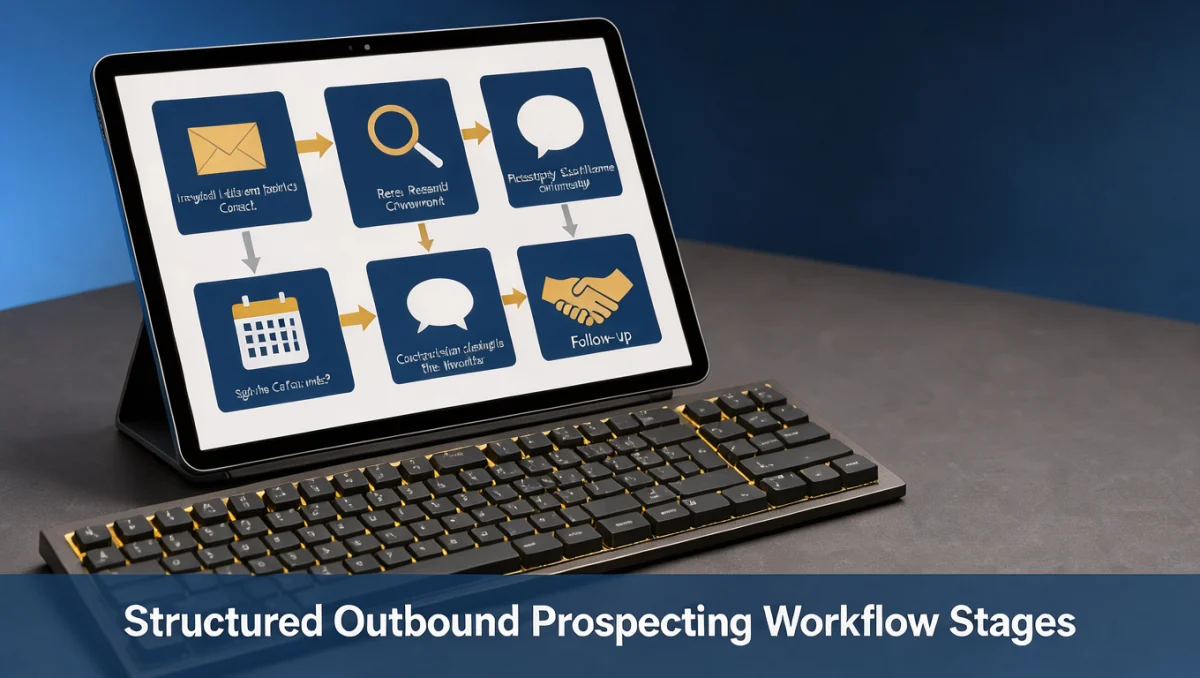
3. Step-by-Step Getting Started Workflow

A successful outbound campaign moves in sequence, from identifying accounts to engaging active prospects. Following this apollo io guide workflow keeps your pipeline organized.
3.1. Step 1: Filter and Identify Target Accounts
Start by applying database filters that match your ideal customer profile, such as industry, territory, and company size. When qualified organizations appear, read their summaries to confirm that their activities fit what you offer.
3.2. Step 2: Find Decision Makers
Once you have defined your company criteria, review organizational rosters to find key decision makers. Filter by seniority, department, and exact role title. Save relevant contacts into lists organized by campaign or buyer persona.
3.3. Step 3: Verify Email Accuracy
Accurate contact data prevents bounces and keeps deliverability healthy. Use the built-in verification tools to check mailbox validity before adding records to active campaigns. For addresses that remain unverified, check company websites or official social profiles to confirm a contact's current role.
3.4. Step 4: Build Outbound Sequences
Create a sequence of emails separated by sensible time delays, and personalize greetings and company variables in each step. Set rules so that when a prospect replies, the platform stops the remaining scheduled follow-ups automatically.
3.5. Step 5: Connect Mailboxes and Launch
Link your sending accounts with standard mailbox credentials. During the first few weeks, keep daily maximums low to establish a steady sending pace. Review campaign analytics regularly to understand reply patterns and adjust subject lines or timing.
4. Best Practices for Outbound Prospecting
Lasting outbound results depend on consistent monitoring and disciplined routines. Reliable habits maintain data quality and improve engagement with prospective clients.
4.1. Warm Up New Mailboxes Gradually
Fresh mailboxes need volume increases spread over several weeks. Sending large batches from newly registered accounts can trigger spam filters at major email providers. Start with modest daily volumes and expand capacity over time.
4.2. Segment Precisely Instead of Blasting
Smaller, targeted audience segments generally earn higher response rates than generic messages sent to large lists. Group accounts by industry pain points or growth stage, and tailor copy to each group's operational needs.
4.3. Check CRM Synchronization Regularly
Pipelines drift out of alignment when updates fail to sync. Review the synchronization settings between your prospecting platform and your central CRM regularly to avoid contacting existing customers twice.
5. Common Mistakes to Avoid
Sales teams often run into avoidable problems as they scale outbound activity. Spotting these early protects your reputation and keeps campaigns efficient.
5.1. Skipping Domain Verification Records
Launching sequences without valid DNS authentication causes deliverability to drop quickly. Confirm that SPF, DKIM, and DMARC all show valid status before enabling outreach from any sending account.
5.2. Burning Through Credits Too Fast
Loose filtering reveals contact details for low-probability prospects and exhausts monthly allowances early. Apply strict qualification criteria before unlocking records so your allowance stays available for high-priority targets.
5.3. Sending Too Aggressively
Packing several emails into a short window overwhelms inboxes and drives up unsubscribe rates. Leave several business days between touchpoints so prospects have time to review your message.
6. Pros and Cons of Apollo.io
Weighing practical advantages against real constraints helps buyers pick the right sales software.
6.1. Platform Strengths
- Combines contact discovery and sequence scheduling in one environment
- Detailed search filters allow precise targeting by industry, job title, and location
- Built-in sequence builder handles automated follow-ups and reply detection
- Supports direct synchronization with widely used external CRM systems
6.2. Platform Limitations
- New sales reps need meaningful onboarding time to learn the interface
- Data accuracy varies across niche regional markets and specialized technical sectors
- Export limits and sending caps require careful, disciplined use
7. Who Should Follow This Apollo.io Guide
Different roles get different value from outbound database tools. Matching the tool to specific job demands ensures a good fit.
7.1. Sales Development Representatives
Outbound reps gain directly from having contact discovery and email sequencing in one place. This removes the need to copy contact details between separate applications.
7.2. Small Business Owners and Founders
Founders building their first commercial pipeline can run targeted business development campaigns without assembling a complex multi-vendor stack, and can use the platform to test demand for new services.
7.3. Marketing and Demand Generation Teams
Marketers running account-based research can identify target accounts that match strategic profiles, helping align advertising with outbound sales efforts.
7.4. Users Who Should Consider Other Options
Organizations that need specialized support ticketing, complex multi-tier project tracking, or localized consumer marketing data should evaluate dedicated alternatives, since B2B outbound platforms are not built for direct-to-consumer messaging.
8. How to Choose the Right Subscription Plan
Sales engagement software usually prices by user seat, export allowance, and sequencing capacity. Compare your requirements against the official pricing page before committing budget.
| What to Check on the Official Pricing Page | Why It Matters |
|---|---|
| User seat fees and billing frequency | Annual commitments often differ from monthly terms and affect team budget forecasts |
| Monthly export allowances | Export caps determine how many contact records your team can download into other systems |
| Sequence sending limits | Daily or monthly caps set the scale of outbound campaigns across connected accounts |
| Integration availability | Some CRM synchronization features are reserved for specific subscription tiers |
9. Frequently Asked Questions
Which technical records must be in place before sending outbound sequences?
Domain administrators should set up valid SPF, DKIM, and DMARC records through their DNS host before launching outbound campaigns. These records confirm to receiving servers that messages come from an authorized source, which protects sender reputation and keeps emails out of junk folders.
How should teams space follow-ups between sequence steps?
Spreading follow-ups across several business days avoids recipient fatigue and keeps outreach professional. A common cadence leaves two to four business days between the initial introduction and follow-up notes, giving prospects time to evaluate your proposal before the next reminder.
What determines total cost when subscribing to sales software?
Overall spend depends on the number of user seats, the contact export volume you need, and any add-ons for communication. Review your current team size and expected monthly outreach on the official pricing page to choose a tier that avoids unexpected overage charges.
Should sales teams send high-volume outreach from their main company domain?
Sales professionals generally recommend against running high-volume prospecting from the primary operational domain. A secondary domain dedicated to sales development isolates spam complaints or temporary deliverability setbacks, so everyday correspondence between existing clients and company leadership stays unaffected.
10. Final Verdict
Apollo.io offers a complete environment that connects B2B contact research with automated outbound communication. Data coverage can vary in niche geographic markets, but its unified architecture simplifies prospecting for growth-focused sales teams.
| Criterion | Score /10 | Reason |
|---|---|---|
| Features | 8.5 / 10 | Combines deep search filters, contact verification, and multi-step sequences in one platform |
| Ease of Use | 7.5 / 10 | Functional layout, though the extensive filter options take time for beginners to learn |
| Pricing and Value | 7.0 / 10 | Tiered pricing means buyers must match seat counts and export caps carefully against the official pricing page |
| Integrations | 7.0 / 10 | Connects with major CRM systems, though advanced field sync depends on the plan tier |
| Audience Fit | 8.0 / 10 | A strong match for outbound reps, founders, and lean B2B commercial teams |
| Support | 7.0 / 10 | Standard self-serve documentation and ticketing, with assisted onboarding varying by plan |
| Competitive Position | 8.0 / 10 | Competes well against dedicated databases such as ZoomInfo and engagement tools such as Outreach |
Top Apps Reviews overall score: 7.6 / 10
For sales reps and small business leaders who want contact sourcing and outbound sequence delivery in one place, Apollo.io delivers practical value and structured workflow management. Organizations with complex, custom database needs should verify integration requirements before rolling it out across an entire department.
Readers with questions about software evaluation can contact the editorial team at https://topappsreviews.com/contact/ or connect on LinkedIn at https://www.linkedin.com/company/topappsreviews/.