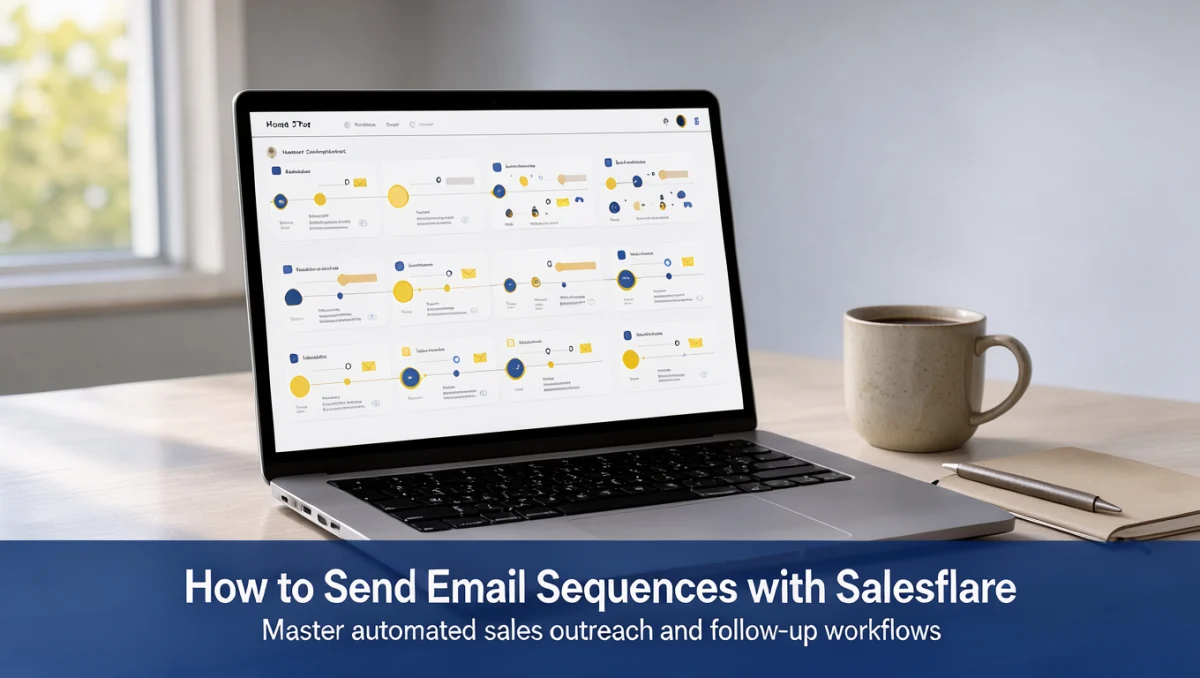
Automated outreach works best when it is built on a solid contact database, and that is exactly where Salesflare fits in. The platform ties relationship tracking to email execution, so revenue teams can plan multi-step campaigns from the same place they store prospect records. At topappsreviews, we assess outreach software with one goal in mind: helping sales groups keep follow-ups consistent without adding friction to their day.
Knowing how sequences are put together makes it easier to design campaigns that keep conversations moving. Once you understand the logic behind timed steps and enrollment rules, your cadence stays dependable even when pipeline activity spikes. A well-planned setup links your deal records to structured outbound messages, reducing manual admin while prospects stay engaged.
Quick verdict: Salesflare earns an overall topappsreviews score of 7.9 / 10 for automated outreach. It suits B2B sales reps and small business teams that want simple sequence execution tied to CRM data. It is less suited to high-volume consumer newsletters or teams that need a custom-built delivery engine.
| Evaluation Metric | topappsreviews Summary |
|---|---|
| topappsreviews score | 7.9 / 10 |
| Best for | B2B teams that want built-in contact tracking and scheduled follow-ups |
| Not ideal for | Brands running large mass-marketing blasts or consumer newsletters |
| Key strengths | Automatic contact data capture, easy sequence creation, direct CRM linkage |
| What to check before buying | Confirm email send allowances and sequence step limits on the official plans page |
1. How topappsreviews Reviewed Salesflare
This review covers what Salesflare is designed to do, who it serves, and how it stacks up against similar tools. We judged it against seven topappsreviews criteria: features, ease of use, pricing and value, integrations, audience fit, support and competitive position. Plans, prices and limits change frequently, so we flag what to verify on the official website before purchasing. This article was researched and drafted with the help of AI tools, then reviewed and edited by the topappsreviews Editorial Team.
2. Preparing Before You Build a Salesflare Sequence
Before you launch an outbound sequence, your contact data and messaging assets need to be ready. A sequence is an ordered schedule of emails that go out automatically at set intervals or in response to prospect actions. If your contact lists are poorly segmented, even a carefully written sequence will struggle to earn replies.
Start by confirming that your sending domain is properly authenticated with your email host. Emails sent from CRM software depend on standard domain protocols to reach recipients' inboxes. When those records are misaligned, mail servers may route multi-step sales messages straight into spam folders.
Next, organize your prospects into segments inside the CRM. Effective outreach relies on clear enrollment criteria, such as lead status, industry, or recent engagement. Defining these segments in advance means your scheduled messages reach people who actually care about the problems your offer solves.
3. Getting Started Workflow for Salesflare Sequences

Launching a multi-step sequence involves several stages, from defining the audience through drafting messages to final activation. Following a disciplined workflow keeps delivery consistent across every enrolled prospect.
Define Audience Segments and Enrollment Rules
Begin by building the target audience filter within your contact records. Sales platforms let you set criteria that determine whether a contact enters a sequence manually or automatically when a field changes. Grouping recipients by sales stage keeps introductory messages away from prospects who are already in active negotiations.
Draft Sequence Message Steps and Timing Delays
Write each step to achieve one clear goal in the conversation. The opening email should set context and point to a relevant benefit, while later messages can add perspective, examples, or a clarifying question. Set delays between consecutive steps so follow-ups feel considerate and are spread sensibly across business days.
Configure Exit Criteria and Tracking Settings
Set clear exit conditions before any campaign goes live. In professional sales settings, a sequence should stop automatically when a recipient replies or books a call. Halting automated follow-ups as soon as someone responds protects the relationship and avoids awkward miscommunications.
Review Personalization Fields and Send a Test Step
Check every dynamic merge tag in your copy before sending to live prospects. Merge fields pull details such as first names, job titles, and custom account notes straight from CRM records. Sending a test message to an internal inbox confirms that tags resolve correctly and that no blank gaps appear in the text.
4. Best Practices for High-Response Sequences
Strong outbound sequences depend on careful attention to copy structure, timing intervals, and relevance. Many revenue teams see weak engagement because their messages feel repetitive or ignore what prospects care about most.
- Keep introductory emails brief and centered on one specific operational problem rather than a long list of features.
- Space follow-up steps at realistic intervals so prospects have time to digest earlier messages before any reminder arrives.
- Include a clear call to action in each step, such as a simple question or a useful resource, instead of demanding a long meeting block.
- Vary the angle across successive steps, using later emails to share insights rather than only asking whether earlier messages were seen.
- Review campaign progress regularly to see which steps generate replies and where prospects drop off.
Applying these principles keeps automated sequences courteous and professional. Reviewers at Top Apps Reviews consistently find that thoughtful timing and relevant messaging matter far more than total email volume when building lasting client relationships.
5. Common Mistakes to Avoid in Sequence Setup

Small setup errors can quickly damage domain reputation and turn prospects off. Knowing the most frequent mistakes helps teams protect their brand while running consistent outreach.
Enrolling Unverified Email Addresses
Adding outdated or unverified contacts into active sequences drives up bounce rates across your sending domain. High bounce levels signal poor list hygiene to receiving servers, which can reduce inbox placement for the whole team. Clean and verify prospect lists before enrolling anyone.
Omitting Automatic Reply Detection
Failing to set up automatic reply stops is one of the most damaging errors in sales outreach. If a prospect answers your first email and then receives an automated note asking whether they saw the previous message, your credibility suffers immediately. Confirm that sequence rules pause or end the cadence as soon as an incoming reply is logged.
Overloading Step Schedules with Rapid Cadences
Sending several follow-ups in very short windows often irritates decision-makers. B2B sellers should avoid consecutive messages within forty-eight hours unless a prospect explicitly asks for rapid updates. Respecting recipients' attention produces better long-term engagement.
6. Who Should Use Salesflare for Email Outreach
Different organizations need different capabilities from email outreach and CRM software. Assessing your team structure and sales workflow will show whether Salesflare fits your requirements.
Small Business Owners and B2B Consultants
Founders of small companies and independent consultants gain a lot from built-in sequence features. Because these professionals juggle client delivery with business development, automated follow-up cadences make sure inbound inquiries are not lost while client work takes priority.
Account Executives in Relationship-Driven Sales
Sales representatives managing consultative deals gain efficiency from coordinated sequence execution. When sequence activity sits alongside the customer contact timeline, the wider account team stays informed about recent touchpoints without manual note-taking.
Teams Not Suited for Salesflare Sequences
Businesses running high-volume direct-to-consumer ecommerce stores or broad corporate newsletters should look at dedicated marketing automation platforms instead. Relationship CRMs focus on individual account outreach rather than mass distribution to tens of thousands of consumer contacts at once.
7. Frequently Asked Questions
How should teams structure time gaps between sequence steps?
Sales development teams usually space follow-up steps across three to five business days. Spacing messages across reasonable intervals gives prospects time to weigh earlier information without feeling pressured. Shorter cadences can suit inbound demo requests where a prompt response is expected, while cold outreach benefits from more patient spacing over several weeks.
What should buyers check on official pricing pages before choosing a sequence tool?
Buyers should confirm how sending volumes, active sequences, and user seats are allocated across subscription tiers on the vendor's official pricing page. Some platforms include sequence execution in core plans, while others require specific add-ons or third-party connections. Checking these details ensures your planned outreach capacity fits within your budget.
How do exit rules protect ongoing sales conversations?
Exit rules automatically remove a contact from a sequence when a specific condition occurs, such as an incoming reply or a change in pipeline stage. Stopping automated sends as soon as a reply arrives prevents situations where a prospect gets generic reminders while actively discussing contract terms with your team.
Why should outbound sales teams verify domain setup prior to launching campaigns?
Domain verification confirms to mail servers that messages from your software are authorized by your organization. Correct technical configuration reduces the chance of messages being flagged as suspicious or filtered into promotions folders. Completing this setup protects deliverability so intended prospects actually receive your outreach.
8. Final Verdict on Salesflare Sequences
Sending email sequences with Salesflare comes down to using native CRM contact records to schedule consistent, well-timed business conversations. When enrollment filters and automatic exit rules are set up properly, the platform offers a dependable framework for B2B relationship building.
| Criterion | Score /10 | Reason |
|---|---|---|
| Features | 8.0 / 10 | Provides dependable core sequence scheduling, personalized merge fields, and automatic reply tracking linked to contact profiles. |
| Ease of Use | 8.5 / 10 | Clean visual layout makes building sequence steps, setting timing delays, and enrolling contacts straightforward. |
| Pricing and Value | 7.5 / 10 | Buyers must confirm how sequence send limits match each tier on the official vendor documentation. |
| Integrations | 7.5 / 10 | Works neatly with standard business email providers, though teams should review connection requirements on official resources. |
| Audience Fit | 8.5 / 10 | Suits small-to-medium B2B sales teams and consultancies that want automated pipeline follow-up without administrative clutter. |
| Support | 7.0 / 10 | Buyers should verify live response hours and technical onboarding availability directly with the vendor. |
| Competitive Position | 8.0 / 10 | Holds a solid niche against heavyweight enterprise CRMs by prioritizing automated data capture and accessible outreach tools. |
Overall topappsreviews Score: 7.9 / 10
For teams that want a balanced mix of contact management and scheduled sales follow-up, Salesflare offers a focused environment that cuts down manual tracking. Check the official subscription details to confirm feature availability for your expected email volume, then start your rollout with modest recipient segments to build steady outreach habits.
If you have questions about setting up your sales workflows or choosing software for your team, reach out through the topappsreviews contact portal at https://topappsreviews.com/contact/ or follow our latest software discussions on LinkedIn at https://www.linkedin.com/company/topappsreviews/.