Ad creative fatigue is one of the most persistent problems for paid media teams. Performance drops quickly when audiences see the same visuals week after week, which forces advertisers to refresh their banners and headlines constantly. The adcreative ai google ads integration addresses this bottleneck by connecting a creative generation workspace directly to the campaign management dashboard, so new variations can move from concept to live placement without manual file handling.
At Top Apps Reviews, we evaluated how well this pairing supports end-to-end deployment across search and display workflows, focusing on whether it keeps visual output consistent while speeding up delivery.
Quick verdict: With an overall Top Apps Reviews score of 7.8/10, the integration suits performance marketers, creative strategists, and agency teams that produce high volumes of display variations. It is less suitable for brands that depend on bespoke manual design or for enterprises with layered approval chains before anything goes live.
| Metric | Details |
|---|---|
| Top Apps Reviews score | 7.8/10 |
| Best for | Performance marketers, agency media buyers, and small business advertisers running continuous display and search testing |
| Not ideal for | Brands requiring custom agency-crafted illustration or hand-coded animation, and organizations with strict security approval chains |
| Key strengths | Fast visual iteration, automated text generation, direct account connectivity, and consistent brand guideline enforcement across layouts |
| What to check before buying | Account connection permissions, monthly generation allowance on your intended plan, and supported campaign formats |
1. How Top Apps Reviews Evaluated AdCreative.ai
This review examines what the platform is built to do, who it serves, and how it compares with alternatives. We assessed it against seven criteria: features, ease of use, pricing and value, integrations, audience fit, support, and competitive position. Plans, prices, and usage limits change frequently, so readers should confirm current details on the official website before purchasing. This article was researched and drafted with the help of AI tools, then reviewed and edited by the Top Apps Reviews Editorial Team.
2. What AdCreative.ai Is and Who It Serves
AdCreative.ai is an automated creative generation platform that produces conversion-oriented ad banners, promotional copy, and visual layouts for paid advertising channels. Instead of asking designers to build every asset from scratch in general illustration software, it relies on algorithmic templates shaped by common commercial design patterns. Advertisers supply brand inputs such as logos, color palettes, and descriptive prompts, and the platform returns batches of visuals formatted for standard ad placements.
The Google Ads connection works as a synchronization pipeline between the asset workspace and the active campaign dashboard. Rather than downloading graphics and re-uploading them into individual ad groups, connected accounts let assets flow directly into the media library. This suits businesses with ongoing budgets that need regular variations to counter performance declines caused by ad fatigue.
Agency media buyers managing several client accounts use this workflow to shorten turnaround times without expanding creative staff. Small business owners without in-house design teams use it to produce banners that meet the visual requirements of major networks. Independent marketers also rely on rapid iteration to find winning visual angles in competitive categories.
3. Core Features of the Creative Workflow
The platform organizes production into modules covering visual composition, ad copy, brand management, and channel distribution.
3.1. Automated Banner and Visual Generation
Automated generation is the core engine of the platform. Users upload background photos, product cutouts, and text prompts, and the system assembles layered graphics sized for common digital ad dimensions. Key visual elements, badges, and call-to-action buttons are positioned according to conventional conversion design principles.
This structure helps performance advertisers because testing requires multiple visual hooks, color contrasts, and background styles. Instead of building ten separate canvas files, media planners can generate several stylistic variations in one cycle. Creative teams can then review the suggested compositions, keep those that match campaign goals, and prepare them for distribution.
3.2. Ad Copywriting and Headline Support
Visuals depend on persuasive messaging to engage prospects across search and display placements. The platform includes text tools that draft headlines, body copy, and calls to action aimed at a specified audience. By defining audience personas, core product benefits, and promotional context, advertisers receive text suggestions that complement the visual designs.
Google Ads imposes strict character limits and format requirements, so generated copy must fit those constraints. Automated text tools help copywriters overcome blank-page problems when drafting split-test variations. Reviewers should still check tone, product claims, and terminology against brand standards and platform advertising policies.
3.3. Brand Guideline Preservation and Multi-Account Management
Keeping large volumes of generated content visually cohesive requires structured brand controls. Users can define reusable brand profiles that hold color codes, font selections, logos, and default identities. Once saved, these settings apply automatically to each new design batch, reducing off-brand color shifts and typographic inconsistencies.
For agencies and multi-brand teams, separate workspaces keep client materials organized. Each brand profile maintains its own visual rules and project history, which simplifies oversight for creative directors running several initiatives. Account managers can switch between brands without mixing assets or sending materials to the wrong advertising destination.
3.4. Direct Google Ads Account Synchronization
Account synchronization links the creative workspace to the Google Ads dashboard through secure authorization. After authorization, selected banners and promotional copy can move straight into campaign asset libraries or designated responsive ad units. This removes manual downloads, local folder management, and repeated uploads across browser tabs.
Removing manual file handling speeds up deployment for time-sensitive promotions, seasonal sales, and product updates. Performance teams can prepare fresh creative batches, approve them internally, and sync them into active or draft campaigns. Advertisers should periodically confirm that network permissions remain current.
4. Ease of Use and Learning Curve
The platform emphasizes an accessible, guided workflow for marketers without formal design training. The dashboard relies on sequential project wizards that walk users through brand setup, asset input, generation, and export. Most team members can produce a first set of banners within a short onboarding session, since complex vector tools have been replaced by automated layout assembly.
Generating baseline assets is simple, but mastering creative direction takes more effort. Users need to learn how to prepare clean product cutouts with transparent backgrounds, write precise prompts that yield relevant copy, and choose source imagery that stays sharp across multiple banner sizes. Teams that invest time in clear brand profiles get noticeably better results than those who rush setup.
Managing the Google Ads connection requires standard advertising account access. Linking accounts involves straightforward authorization dialogs, but team leads must confirm that users hold administrative permissions in both platforms. Teams comfortable with modern web-based marketing dashboards will find the technical requirements manageable.
5. Pros and Cons
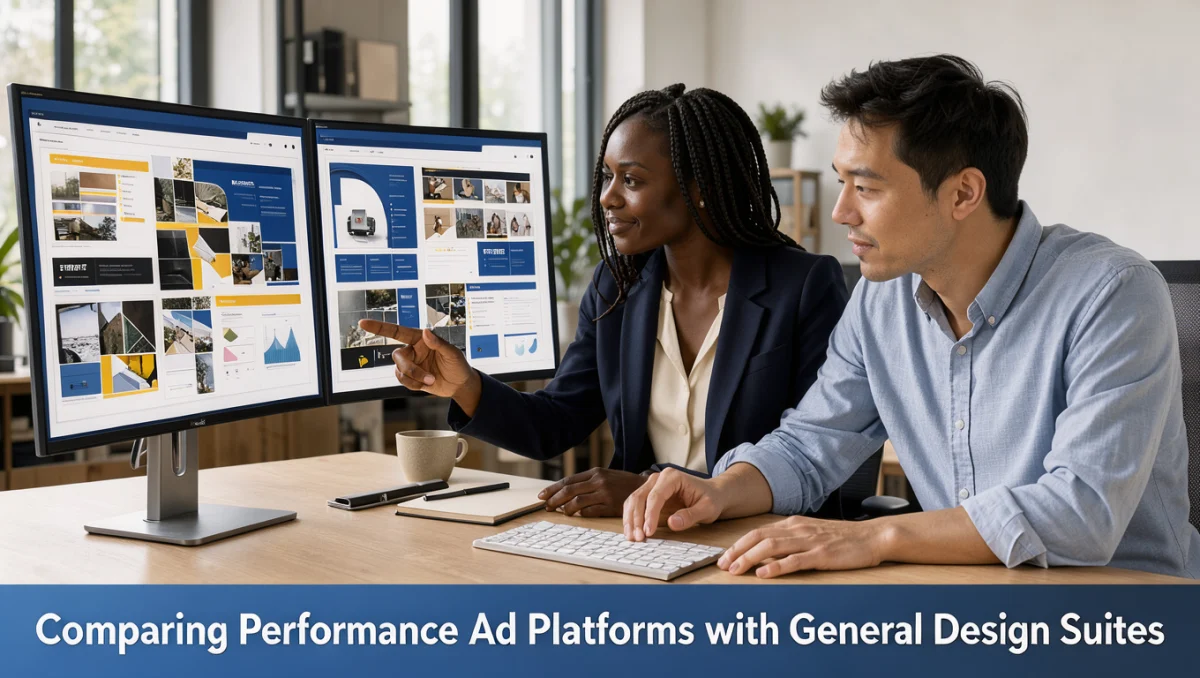
Understanding both the operational advantages and the inherent constraints helps advertisers make procurement decisions that fit their workflow.
5.1. Advantages
- Accelerated asset production: Teams generate numerous banner formats and headline variations in minutes, substantially shortening campaign refresh cycles.
- Direct deployment pipeline: Syncing assets straight into Google Ads removes repetitive downloads and re-uploads, saving media buyers administrative time.
- Consistent brand identity: Centralized brand profiles apply typography, hex codes, and logos across every generated variation.
- Scalable split testing: Marketers can test several visual hooks and messaging angles at once without hiring extra production staff.
- Accessible interface: Guided steps let non-technical marketers and entrepreneurs build polished creatives without graphic design skills.
5.2. Limitations and Considerations
- Template-based styling: Algorithmic layouts can look generic or repetitive over long testing cycles. Teams seeking distinctive artistic branding should supplement generated work with custom graphics.
- Manual prompt refinement required: Generated copy may need human editing to fix awkward phrasing, verify advertising compliance, and match a natural commercial tone.
- Account permission dependencies: Direct synchronization relies on active network authentication, so agency teams managing several client accounts should review access levels regularly.
- Visual review necessity: Automated layouts can occasionally place text awkwardly over busy photography. Operators should manually check every variation before going live.
6. AdCreative.ai vs Similar Creative Tools
To judge market positioning fairly, advertisers should compare the platform with other creative tools in the digital marketing sector.
| Platform | Best For | Core Strength | Consider If |
|---|---|---|---|
| AdCreative.ai | Performance media buyers who need rapid banner generation and direct ad network distribution | Algorithmic conversion templates and automated ad account asset syncing | Your priority is high-volume creative testing across Google display and social networks |
| Canva | General marketing teams and content creators producing broad multi-channel graphics | Large manual template library and comprehensive drag-and-drop design | You need full creative flexibility across social posts, presentations, and print |
| Jasper | Content teams focused on long-form copy and cross-channel marketing text | Brand voice modeling and versatile text generation | Your main bottleneck is copywriting rather than visual display production |
Canva is an established graphic design suite that offers manual control over canvas elements, vector shapes, and multi-page layouts. It provides extensive templates for nearly every marketing format, but it is primarily a design canvas that requires manual composition and individual exports. AdCreative.ai, by contrast, prioritizes automated bulk generation tailored to performance ad placements, trading fine pixel-level control for production speed.
Jasper focuses mainly on text generation, content strategy, and long-form brand communication. Teams that need deep editorial copy or detailed product descriptions often turn to dedicated writing software. AdCreative.ai bridges copy and layout by producing ad-specific text alongside visual banners, making it a focused tool for media buyers rather than a general writing assistant.
7. Who Should Use the Google Ads Integration
The right creative automation tool depends on team structure, monthly output, and existing production capacity.
7.1. Freelance Media Buyers
Independent contractors managing several clients need to work efficiently. The integration lets solo media buyers deliver polished display and responsive ad assets without paying external designers. Freelancers can keep separate brand workspaces for each client, supporting organized delivery under tight launch schedules.
7.2. Small Business Owners
Entrepreneurs running their own campaigns often lack the time or expertise for complex design software. The platform offers a structured environment where owners can upload product photos and generate functional banners within minutes. Connecting the ad account directly simplifies management and helps smaller budgets compete with larger brands.
7.3. Performance Marketing Agencies
Agencies running large display and search campaigns need constant creative testing to prevent ad fatigue and protect client return on ad spend. The generation engine lets media teams produce many creative angles, color variations, and headlines for each campaign sprint. Direct synchronization reduces friction between creative handoffs and launches, so media managers can test hypotheses quickly.
7.4. Corporate In-House Design Teams
Internal design departments often have backlogs when supporting performance teams alongside brand work. Automation allows designers to hand off routine banner resizing and headline variations, freeing time for strategic brand development and custom concepts. The platform works as a production multiplier for existing staff.
7.5. Teams That Should Consider Alternatives
Organizations that depend on hand-drawn illustration, complex 3D animation, or cinematic video will find template-based engines limiting. Enterprises in heavily regulated industries that require multi-stage legal review for every visual may also find automated publishing workflows difficult to fit. For broader guidance on software selection, explore independent analysis published on Top Apps Reviews.
8. How to Choose the Right Plan
Subscription models vary across the category, so buyers should assess their operational needs before committing. Confirm specific allowances on the official AdCreative.ai pricing page to ensure the plan matches your campaign scale.
| What to Check on the Official Pricing Page | Why It Matters |
|---|---|
| Monthly creative credit allowances | Determines how many assets and text generations you can produce each billing cycle without overage costs. |
| Connected advertising account allowances | Important for agencies managing several client brands that need simultaneous integrations. |
| Brand workspace limits | Confirms you can separate logos, palettes, and fonts for each product line or client. |
| User seat allocations | Dictates how many team members can collaborate in the dashboard at once. |
| Supported asset output formats | Confirms the plan covers all required dimensions for responsive display, square placements, and video. |
To avoid overspending, estimate your monthly creative volume before choosing a tier. Smaller businesses testing one product line usually need fewer generations and only one connected account. Agencies handling several client retainers need enough brand workspaces and collaboration seats to support their team.
Buyers should also review billing cycles, cancellation policies, and renewal terms on the official site. Deciding whether an automated tool is worth it means weighing the subscription cost against hiring freelance designers or accepting longer production delays.
9. Frequently Asked Questions
9.1. What technical requirements exist for connecting accounts?
Connecting the two platforms requires administrative or standard editing privileges on both your AdCreative.ai workspace and your target Google Ads account. Authorization happens through standard permission dialogs in the browser. Before setup, confirm that your login has sufficient authority within your company's media management to approve third-party connections.
9.2. How do teams keep generated banners on brand?
Brand consistency comes from defining detailed brand profiles before generation begins. Users enter corporate hex codes, upload primary and secondary logos, and select preferred font pairings. The system then restricts automated layouts to those parameters, limiting unauthorized color shifts or styling inconsistencies across batches.
9.3. Should marketing copy be edited before launch?
Reviewing generated copy before publishing is strongly recommended. Automated text offers useful headline variations, but human editors should confirm that terminology sounds natural, matches brand voice, and complies with industry advertising rules. Refining generated text protects brand reputation and campaign compliance.
9.4. What should advertisers budget beyond the subscription?
Creative generation software does not include media spend or ad placement fees. The main ongoing cost remains your actual advertising budget. Other considerations may include stock photography, preparing transparent product cutouts, and human copy review time.
9.5. How can agencies manage multiple client brands efficiently?
Agencies should create a dedicated brand profile for each client. This isolates assets, color schemes, and visual styles, so team members do not accidentally apply one client's guidelines to another's project. Check the official pricing page to confirm how many active brand profiles your plan supports.
10. Final Verdict
The adcreative ai google ads integration offers a practical, time-saving way for advertisers to scale display creative production without growing internal design overhead. By pairing algorithmic layout generation with automated network syncing, it narrows the gap between creative concept and media deployment. Performance marketers who run continuous ad tests will find real operational value in automating repetitive asset formatting.
| Criterion | Score /10 | Reason |
|---|---|---|
| Features | 8.4 | Automated banner layouts, ad copy assistance, brand guideline storage, and direct ad network synchronization. |
| Ease of Use | 8.2 | Guided project wizards let non-designers produce polished assets quickly with minimal onboarding. |
| Pricing and Value | 7.2 | Solid return for active media buyers, though users should confirm monthly credit limits match their volume. |
| Integrations | 7.6 | Direct Google Ads connection simplifies transfers, provided account permissions stay active. |
| Audience Fit | 8.5 | Well suited to performance agencies, digital media buyers, and small businesses running active paid campaigns. |
| Support | 7.0 | Standard onboarding documentation and help resources; confirm direct support availability on the official website. |
| Competitive Position | 7.5 | Holds a distinct niche in ad-specific automated asset production compared with generalized design suites and text tools. |
Overall Top Apps Reviews score: 7.8/10
For performance marketers, growth agencies, and digital entrepreneurs who rely on frequent ad testing, this integration is a worthwhile workflow upgrade. Organizations that need high-end artistic illustration or complex animation should keep specialized design resources, but media teams focused on conversion speed will benefit from the streamlined pipeline.
Questions about setting up ad automation software or choosing tools for your marketing team? Contact our editorial staff through Top Apps Reviews, or follow our ongoing software evaluations on LinkedIn at https://www.linkedin.com/company/topappsreviews/.
See More Artificial Intelligence